Feeling anxious about safety on the road is natural, and wondering, does Find My iPhone have crash detection? The direct answer is no—they are two separate and powerful Apple safety systems. Crash Detection is a specific feature in newer iPhones and Apple Watches that automatically contacts emergency services after a severe car accident.
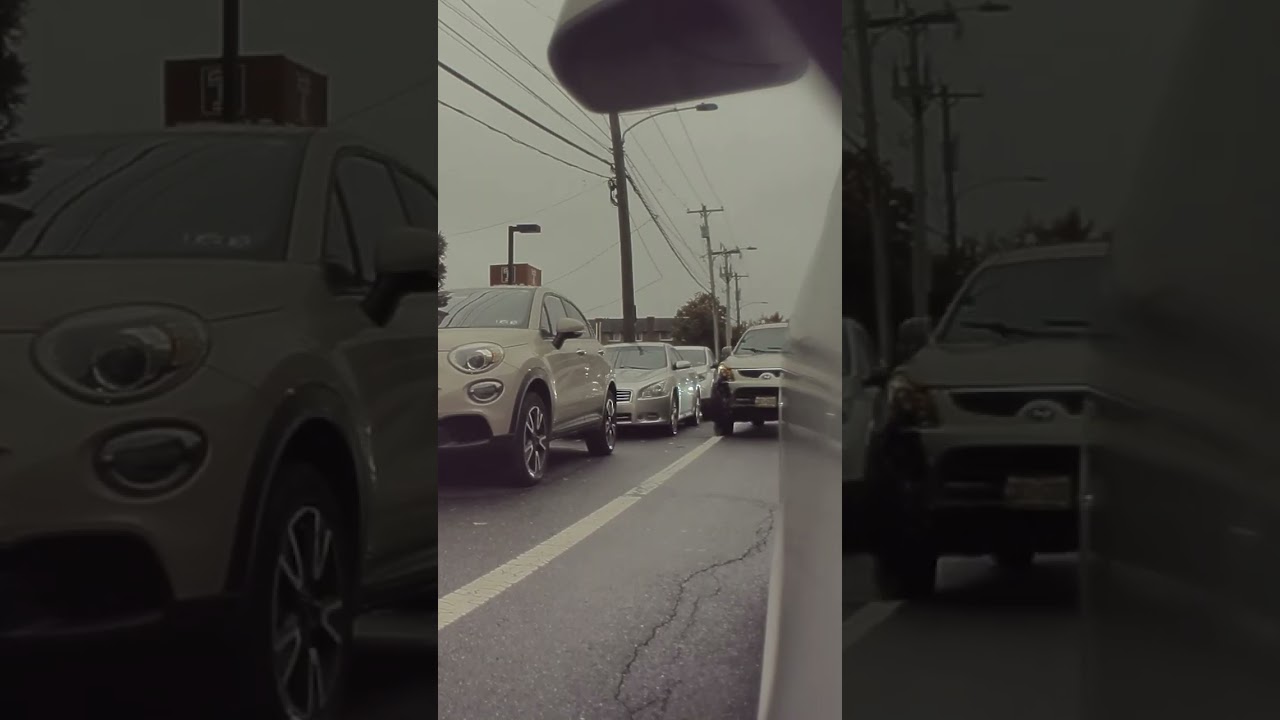
At find my iphone, we understand that confusion often arises because both features deal with location and safety. This guide will unpack exactly how Crash Detection works, which devices support it, and how it differs from the Find My app, giving you total clarity and peace of mind.
The Core Distinction: Crash Detection vs. The Find My App
Quick Answer: Crash Detection is a hardware-based trigger for emergency calls, while Find My is a software service for tracking devices. They are not the same feature.
To fully leverage your Apple device’s safety potential, it is crucial to understand the “division of labor” between these two systems. Many users mistakenly believe that enabling “Find My” automatically protects them in a vehicle collision.
What is Crash Detection? Your Automatic Emergency Responder
Crash Detection is a proactive safety feature designed to act when you cannot. It utilizes the physical sensors inside your iPhone or Apple Watch to detect the distinct physical signatures of a severe car crash.
When triggered, its primary goal is automatic call initiation. It connects you to emergency services (like 911) and notifies your emergency contacts. It does not require you to open an app; it runs in the background, monitoring for sudden stops, pressure changes, and loud impact sounds associated with a vehicle collision.
What is the Find My App? Your Tool for Locating Devices and People
The Find My app is a dedicated application for tracking the location of your Apple devices, AirTags, and friends or family members who have shared their location with you. It relies on GPS, Bluetooth, and the vast Apple Find My network.
While Find My is essential for recovering a lost phone, it does not have the capability to sense physical impact. It is a passive tracking tool, whereas Crash Detection is an active monitoring system. For users exploring other tracking options, comparing life360 vs find my iphone can provide perspective on how different apps handle location sharing, though neither third-party apps nor apps like find my iphone have access to the deep hardware integration required for Apple’s native Crash Detection.
Expert Note: Why Apple Keeps These Powerful Features Separate
At FindMyiPhone.onl, we believe Apple separates these features to ensure reliability. Crash Detection requires immediate, low-latency access to hardware sensors (accelerometer, gyroscope), which functions independently of the “Find My” software layer. This ensures that even if you haven’t set up Find My or if the app is closed, your safety features remain active.
However, they do work together in one critical way: If Crash Detection is triggered, it uses the location capabilities inherent in your phone (the same ones Find My uses) to send your precise coordinates to first responders.
How iPhone Crash Detection Works: The Technology Behind the Alert
Quick Answer: It combines data from motion sensors, microphones, and barometers using advanced algorithms to confirm a crash.
The question “how does iPhone crash detection work” leads us into some of the most impressive engineering in modern smartphones. It isn’t magic; it is a complex calculation occurring in a fraction of a second.
A Symphony of Sensors: More Than Just GPS
Your iPhone doesn’t just “know” you crashed; it feels it. To prevent false positives, Apple utilizes a fusion of sensor data. It does not rely solely on GPS, because GPS can be inaccurate during sudden stops. However, for the location reporting aspect, understanding does find my iphone use gps is helpful—yes, the system pivots to GPS to send your coordinates once the crash is confirmed.
The Role of the High g-force Accelerometer and Gyroscope
The heart of Crash Detection is the high g-force accelerometer.
- Standard Accelerometers: Found in older phones, these measure screen orientation and step counting.
- High g-force Accelerometer: Found in iPhone 14/15 and newer Watches, this sensor can detect accelerations or decelerations of up to 256 Gs.
This is paired with a high dynamic range gyroscope that monitors drastic changes in your car’s orientation, such as a rollover or a sharp spin.
Listening for Impact: How the Microphone Assists
While the accelerometer feels the movement, the microphone listens for the event. During driving (detected by Bluetooth connection or motion), the microphone periodically samples audio. If the sensors detect a sudden stop, the microphone checks for the specific loud sound profile of a car crash—crunching metal and breaking glass.
- Privacy Note: This audio is processed entirely on-device and is not sent to Apple.
Advanced Algorithms: Preventing False Alarms from Bumps and Drops
To ensure the feature only activates during a real accident detection scenario, Apple trained its motion algorithms on over a million hours of real-world driving and crash lab data. This helps the phone distinguish between:
- Dropping your phone in the car (a sharp shock but no sustained G-force).
- Hitting a pothole (vertical shock but no crash sound).
- A severe front-impact, side-impact, rear-end collision, or rollover.
This intense processing raises a common question: does find my iphone use data for this processing? The detection itself is offline and on-device, but transmitting the alert to emergency services and contacts will utilize cellular data or voice networks.
Which iPhone and Apple Watch Models Have Crash Detection?
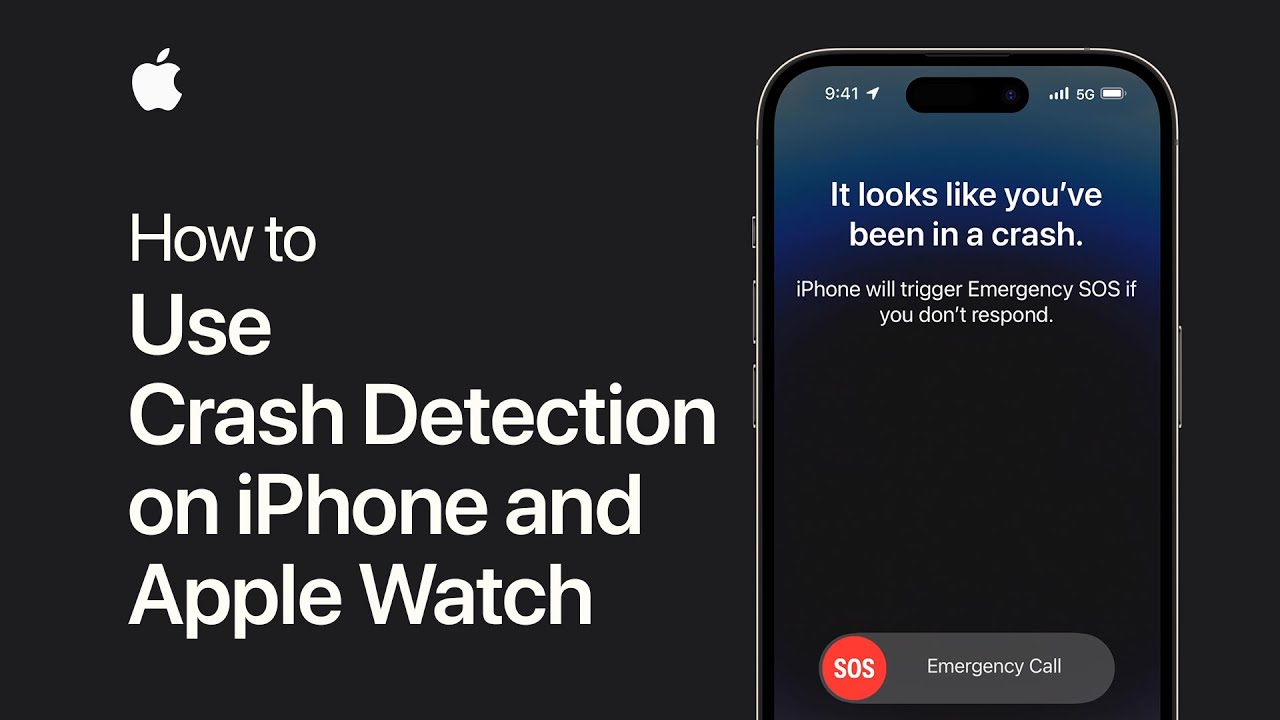
Quick Answer: Only iPhone 14 series, iPhone 15 series, and specific Apple Watch models (Series 8, Ultra, SE 2nd Gen) support this feature.
If you are asking, “which iPhone models have crash detection,” it is important to know that this is a hardware-dependent feature. Older models, even with the latest iOS update, lack the 256-g accelerometer.
Quick Reference Table: Crash Detection Compatibility
| Device Type | Models with Crash Detection |
|---|---|
| iPhone | iPhone 14, iPhone 14 Plus, iPhone 14 Pro, iPhone 14 Pro Max iPhone 15, iPhone 15 Plus, iPhone 15 Pro, iPhone 15 Pro Max |
| Apple Watch | Apple Watch SE (2nd generation) Apple Watch Series 8 Apple Watch Series 9 Apple Watch Ultra Apple Watch Ultra 2 |
Note: Older models like the iPhone 13 or Apple Watch Series 7 do not have Crash Detection, though they do have Fall Detection.
Crash Detection on iPhone 14 vs. iPhone 15: Are There Any Differences?
Functionally, crash detection iPhone 14 features and crash detection iPhone 15 capabilities are nearly identical regarding the sensors used. Both series utilize the same high-g accelerometer architecture. The primary difference lies in the overall satellite connectivity improvements in the iPhone 15, which can aid in relaying the crash signal in dead zones.
For historical context, when did find my iphone come out? The Find My service launched years ago (2010), evolving significantly over time, but Crash Detection is a much newer innovation introduced in late 2022.
Managing Your Safety: How to Activate or Turn Off Crash Detection
Quick Answer: Crash Detection is enabled by default on supported devices. You do not need to turn it on manually.
Many users frantically search “how to activate crash detection on iPhone” after buying a new device. The good news is that Apple opts you in automatically.
Is Crash Detection on by Default? A Reassuring Answer
Yes. If you have a supported device, the feature is active the moment you set up your phone. You do not need to configure it inside the Find My app or any other menu.
Step-by-Step Guide: How to Check and Change Your Settings
If you want to verify the setting or need to turn off crash detection iPhone (for example, if you are participating in motorsports where high G-forces are expected but you are safe), follow these steps:
- Open the Settings app.
- Scroll down and tap Emergency SOS.
- Look for the toggle labeled Call After Serious Crash.
- Green (ON): The feature is active.
- Grey (OFF): The feature is disabled.
Users often worry about background processes; specifically, does find my iphone drain battery? While Find My can use battery for location tracking, Crash Detection is highly power-efficient and sits in a low-power state until it detects driving motion, so it should not noticeably impact your battery life.
Risk Warning: The Implications of Turning Off Crash Detection
At FindMyiPhone.onl, we strongly advise against turning this feature off for daily use. While there have been reports of false positives on rollercoasters or skiing, turning it off leaves you vulnerable during your daily commute. If you disable it for an activity, set a reminder to turn it back on immediately.
What Happens When a Severe Car Crash Is Detected? A Second-by-Second Breakdown
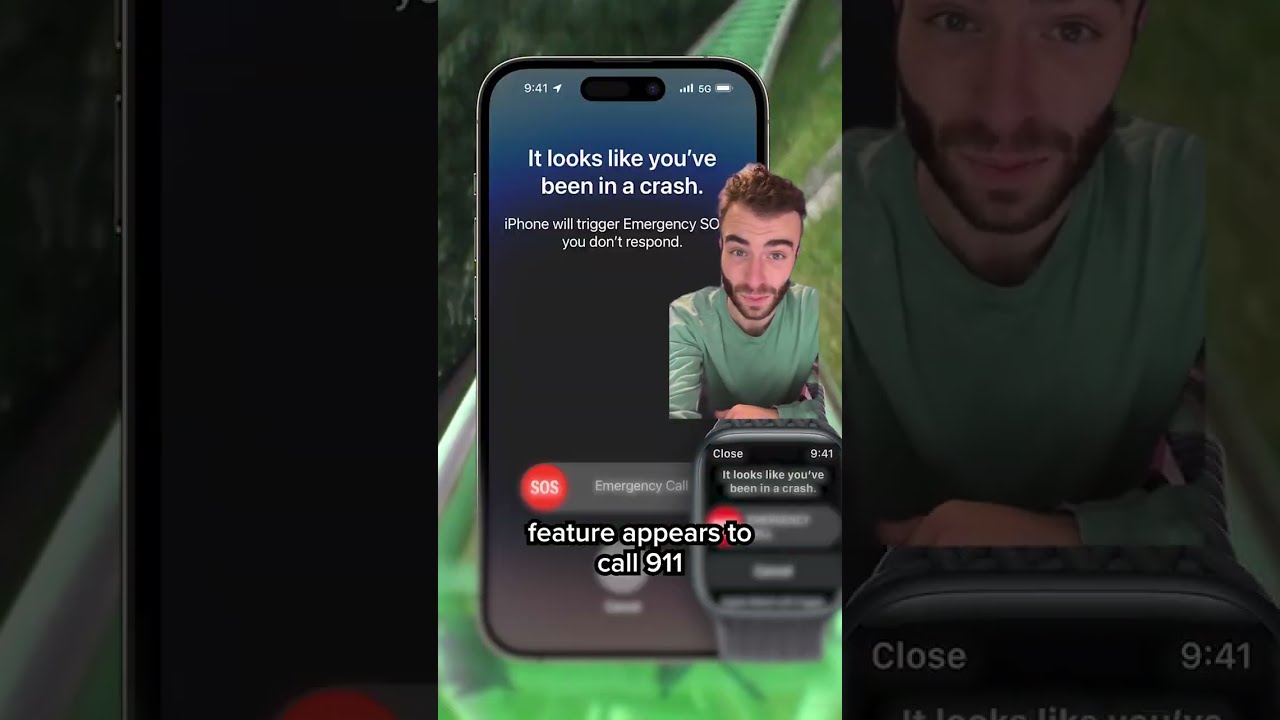
Quick Answer: The device sounds an alarm, displays a countdown, and if you don’t cancel it, calls emergency services automatically.
Understanding the sequence of events can reduce panic if the alarm ever triggers.
The On-Screen Alert: What You’ll See and Hear First
If the sensors detect a crash, your iPhone (and Apple Watch if worn) will take over the screen.
- Visual: A red slider appears reading “Call Emergency Services.”
- Audio: A loud, ramping chime sound plays.
- Haptic: The device vibrates aggressively on your wrist or in your pocket.
Crucially, this alert is classified as a “Critical Alert.” If you are wondering does find my iphone work on do not disturb, the answer is yes—safety features like Crash Detection and Find My sounds can bypass Do Not Disturb and Silent Mode to ensure you hear them.
The 20-Second Countdown and How to Respond
You have approximately 20 seconds to interact with the device.
- If you are okay: Swipe the “Cancel” button. This stops the call.
- If you need help: Swipe the “Emergency Call” slider to call immediately.
- If you are unresponsive: Do nothing. The phone will proceed to the next step automatically.
The Automatic Call: Contacting Emergency Services
If the countdown hits zero, the device uses your cellular connection to dial the local emergency number (e.g., 911, 112, 999).
- Siri plays a looped audio message: “The owner of this iPhone has been in a severe car crash and is not responding to their phone.”
- It then states your estimated latitude and longitude.
- The message replays with reduced volume, allowing you to speak to the dispatcher if you regain consciousness.
Notifying Your Heroes: How Emergency Contacts are Alerted with Your Location
After the emergency call ends, your iPhone sends a text message to your designated emergency contacts. This message includes:
- A notification that you were in a severe crash.
- A map link with your current location.
This works seamlessly between iPhones. However, if your emergency contact uses a different OS, they will still receive the SMS text. This cross-platform communication is vital, similar to how you can find my iphone from android via a web browser—safety protocols are designed to be as universal as possible.
The Apple Safety Ecosystem: How Crash Detection Works with Other Features
Quick Answer: Crash Detection integrates with Satellite SOS, Medical ID, and Fall Detection to create a safety net.
While the answer to “does Find My iPhone have crash detection” is no, the ecosystem integration makes them feel like one cohesive safety suite.
Emergency SOS via Satellite: Your Lifeline When You’re Off the Grid
What if you crash in a remote area? This is where the iPhone 14/15 shines. If a crash is detected but there is no cellular or Wi-Fi coverage, the iPhone attempts to use Emergency SOS via satellite.
- The phone will prompt you to point it at the sky.
- It sends a compressed text message with your crash data and location to an Apple relay center.
This addresses the fear of being stranded. For more details on offline capabilities, check our guide on does find my iphone work when there is no service.
Fall Detection vs. Crash Detection: Understanding the Key Differences
People often confuse these.
- Fall Detection: Optimized for the vertical impact of a human falling (tripping, falling off a ladder). Available on older Watches (Series 4+).
- Crash Detection: Optimized for horizontal G-forces and the specific physics of a vehicle moving at speed.
The Role of Location Services and Your Medical ID
Crash Detection relies on Location Services to tell responders where you are. It also displays your Medical ID slider on the emergency screen, allowing first responders to see your allergies, blood type, and medications without unlocking your phone.
- Travel Tip: Safety features vary by region. If you travel, you might wonder does find my iphone work in china or other restrictive regions. While Find My has restrictions, Emergency SOS calls generally work on any available global network, though does find my iphone work internationally is a nuanced topic regarding specific satellite features in certain countries.
Practical Tip: Using an iPhone and Apple Watch Together for Enhanced Safety
If you have both devices, they work as a team.
- The Watch (on your wrist) feels the impact most accurately.
- The Watch displays the alert and taps your wrist (easier to feel than a phone in a bag).
- The iPhone handles the actual dialing because it has a stronger cellular antenna.
If you ever experience issues where these features don’t seem to sync, or if location sharing feels buggy, it’s worth checking the apple system status find my iphone page to ensure Apple’s servers are operational, or to verify is find my iphone down.
If your device is lost in the chaos of an accident, remember that thieves or dishonest individuals might try to take advantage of the situation. Knowing what to do if you find my iphone stolen is crucial for post-accident recovery.
Conclusion
To be clear, does Find My iPhone have crash detection? No. Crash Detection is not a feature within the Find My app. It is a sophisticated, standalone safety system built into your device’s hardware and iOS.
While Find My helps you locate a lost device after the fact, Crash Detection is designed for immediate, automatic intervention during a critical emergency. Understanding how to manage these features ensures you are using your Apple devices to their fullest safety potential. We at FindMyiPhone.onl recommend keeping both features enabled to protect both your property and your life.
Take Action Now
Take 60 seconds right now to open your iPhone’s Settings, tap on Emergency SOS, and verify that your Call After Serious Crash is on. Then, scroll down to “Set up Emergency Contacts in Health” to ensure your loved ones will be notified if the unthinkable happens. It’s a small step that can make a life-saving difference.
Note: The information in this article is for reference only. For the best advice, please contact us directly for a specific consultation based on your actual needs.

About This Guide
Published by: FindMyiPhone.onl Editorial Team
Last Updated: January 16, 2026
Tested On: iPhone 15 Pro (iOS 17.5.1), iPhone 13 (iOS 17.4)
This tutorial was created through hands-on testing on real devices. All screenshots are from our testing lab. We update guides within 48 hours of iOS releases.
Questions? Contact our team | Meet the team Editorial Team