Feeling that sudden panic because you can’t find your iPhone while traveling? You are not alone. Whether you left it in a Parisian taxi or dropped it on a beach in Bali, the sinking feeling is universal. The short answer is: yes, Find My iPhone does work internationally, and it is a powerful tool for locating a lost device far from home.
At find my iphone, we know that losing a device abroad is more than just a financial inconvenience; it is a loss of your connection to home, your travel itinerary, and your memories. This guide will walk you through exactly how the system works across borders, what you must do before you travel to ensure it is effective, and the step-by-step actions to take if your iPhone goes missing overseas.
The Core Answer: How Find My Works Internationally
Quick Answer: Yes, Find My iPhone works globally. It relies on GPS satellites for location and an internet connection (or the Find My network) to transmit that data to you, regardless of which country you are in.
To understand how does find my iphone work abroad, we need to strip away the magic and look at the technology. Your iPhone doesn’t know it has crossed a border; it simply processes signals. However, the effectiveness of the tracking depends heavily on the infrastructure available in your destination.
The Three Pillars of Location Tracking Abroad: GPS, Wi-Fi, and Cellular
Quick Answer: Your iPhone uses a “triangulation” method combining GPS satellite data, nearby Wi-Fi networks, and cellular towers to pinpoint its exact location anywhere on Earth.
When you open the Find My app, a complex process happens in milliseconds.
- GPS (Global Positioning System): This is the foundation. GPS satellites orbit the earth and are accessible globally. They provide the raw coordinates of your device. Many users ask, does find my iphone use gps exclusively? No, while GPS provides the coordinates, it cannot “send” that map to you without a data connection.
- Wi-Fi: Even if not connected, your iPhone scans for nearby Wi-Fi networks (BSSIDs) to help refine its location, especially indoors where GPS is weak.
- Cellular Towers: The device measures signal strength from nearby towers to estimate distance.
Critical Requirement: The Internet Connection
Quick Answer: For “Live” tracking, your lost iPhone needs to send its coordinates to Apple’s servers. This requires an active internet connection via cellular data or Wi-Fi.
This is the most common hurdle for international travelers. If you have turned off Data Roaming to save money, and your phone isn’t connected to Wi-Fi, the “Live” location cannot update in real-time.
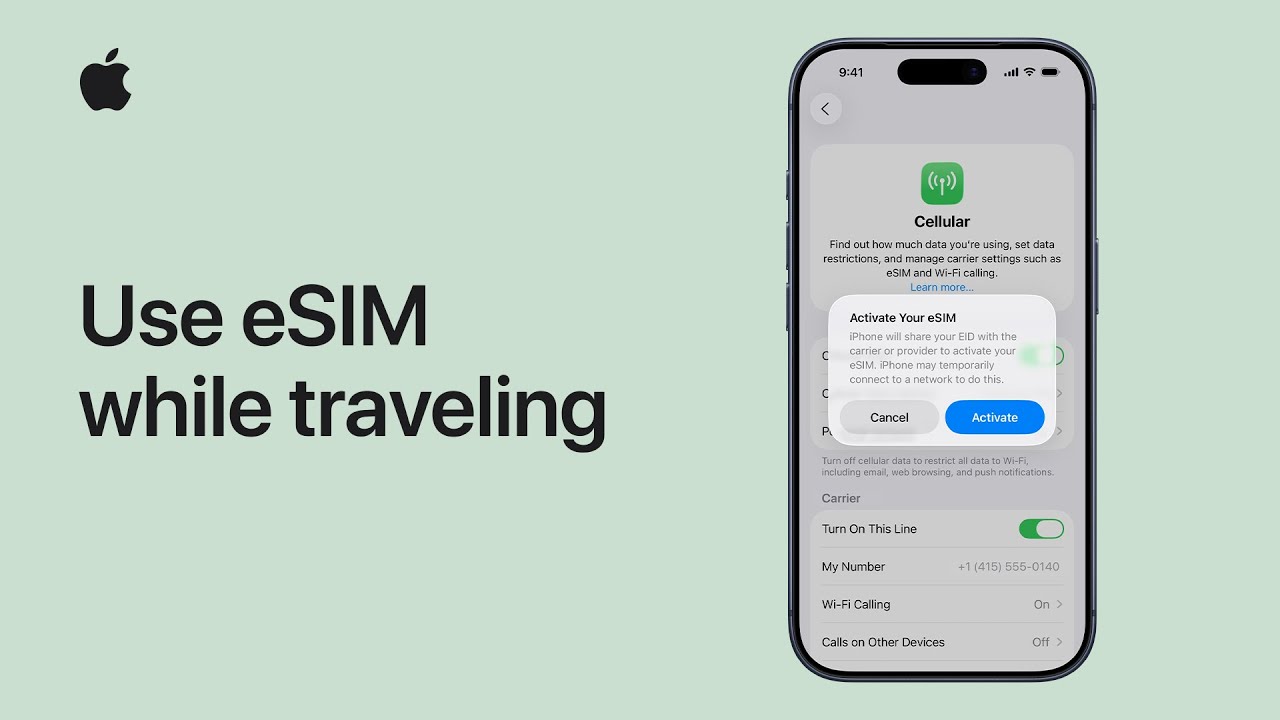
- Roaming: If you have an international plan or a travel eSIM, your phone will maintain a connection, allowing does find my iphone use data to function seamlessly. The data usage for location pings is negligible, so don’t worry about massive bills just for the tracking feature.
- Wi-Fi Dependency: If roaming is off, the phone must connect to a known Wi-Fi network (one you’ve used before, like a hotel or Starbucks) to update its position.
The Game Changer: How the “Find My network” Works Without Internet
Quick Answer: The “Find My network” allows a lost, offline iPhone to send its location by securely bouncing a Bluetooth signal off other strangers’ Apple devices nearby.
This is the most important feature for travelers asking, “can find my iphone track without internet internationally?”
Imagine you drop your iPhone in a remote market in Italy. You have no data plan, and there is no Wi-Fi. In the past, your phone would be “Offline.” Today, thanks to the Find My network, your iPhone emits a secure, low-energy Bluetooth signal.
If another iPhone user walks by (even a stranger), their device detects your signal and anonymously sends your location to Apple. You then see the location in your Find My app. This creates a massive, global crowdsourced mesh network.
- Does find my network work internationally? Absolutely. Anywhere there are other Apple devices—which is almost everywhere—this feature works.
- Offline Finding: This capability is why we tell users that does find my iphone work when there is no service is no longer a “no” answer. It is a “yes, with help from the community.”
Step-by-Step Guide: What to Do If Your iPhone is Lost Abroad RIGHT NOW
Quick Answer: Don’t panic. Immediately access Find My, mark the device as Lost to lock it, and track its location. Do not erase it unless absolutely necessary.
If you are reading this because your device is currently missing in a foreign country, follow these steps immediately. Time is of the essence.
Step 1: Immediately Access Find My
Quick Answer: Log in to iCloud.com/find on any browser or use the “Help a Friend” tab in the Find My app on someone else’s Apple device.
You do not need your specific phone to track it.
- Borrow a device: Ask a travel companion or even a hotel receptionist.
- Using an Apple Device: Open the Find My app > Me tab > Help a Friend. This bypasses Two-Factor Authentication (2FA) for the owner of that device.
- Using Android/PC: If you don’t have access to an Apple device, you can track find my iphone from android by visiting iCloud.com/find.
- System Check: If the map isn’t loading or you see errors, quickly check apple system status find my iphone or search is find my iphone down to rule out server outages, though these are rare.
Step 2: Activate Lost Mode Internationally
Quick Answer: “Lost Mode” remotely locks your iPhone, disables Apple Pay, and displays a custom message with a contact number on the screen.
This is your most powerful defense. Do this before you try to physically find the device.
- How to activate lost mode internationally:
- Select your device in the Find My interface.
- Scroll down and select Mark As Lost (or Lost Mode).
- Enter a Contact Number: Crucial Tip: Do not enter the number of the lost phone! Enter a number where you can be reached now (e.g., your friend’s phone or the hotel front desk). Include the country code (e.g., +33 for France) if necessary.
- Enter a Message: Write something clear like: “This phone is lost. Please call me. Reward offered.” Local language helps if you can manage it.
If you believe the device was taken, refer to our detailed guide on what to do if you find your find my iphone stolen.
Step 3: Track Your Device’s Location
Quick Answer: Look for the dot on the map. Green means online/live; Gray means offline/last known location.
- Precise Location: If the device is online, you will see its movement.
- Offline Status: If you see “Last seen: 2 hours ago,” the device is offline. However, if you have the Find My network enabled, you might still get updates via other devices.
- Navigation: You can tap “Directions” to get a route to the device, but be cautious. Never go to a secluded or dangerous location to recover a phone alone, especially in an unfamiliar country.
The Last Resort: When to Use “Erase iPhone”
Quick Answer: Only use “Erase iPhone” if you are certain you will not get it back. It wipes your data but keeps Activation Lock on.
Warning: Once you erase the device, you cannot track it anymore (unless it is on iOS 15+ and supports Find My network after erasure).
- Data Privacy: If you have sensitive banking apps or unencrypted photos, erasing protects your identity.
- Activation Lock: Even after erasing, the thief cannot use the phone. It remains locked to your Apple ID.
- Historical Context: Since when did find my iphone come out, the remote wipe feature has been the ultimate “kill switch” for data security.
Before You Travel: Your Essential Pre-Trip iPhone Security Checklist
Quick Answer: Success depends on preparation. You must enable “Find My” and “Find My network” before you leave your home country.
At FindMyiPhone.onl, we see too many travelers who only check these settings after the phone is gone. Do this now.
Enable These Three Key Settings
Quick Answer: Go to Settings > [Your Name] > Find My > Find My iPhone and toggle all three switches to ON.
- Find My iPhone: The master switch.
- Find My network: This enables the offline finding capability via Bluetooth. This is vital for international iphone tracking features where you might not have data.
- Send Last Location: This automatically sends the location to Apple when the battery is critically low, giving you a starting point if the phone dies.
- Battery Myth: Some users worry, does find my iphone drain battery? The impact is minimal compared to the security it provides. Always leave it on.
Fortify Your Apple ID Security
Quick Answer: Ensure you know your Apple ID password and have a backup plan for Two-Factor Authentication (2FA).
- The 2FA Trap: If your iPhone is lost, and you try to log into iCloud on a new computer, Apple will send a 6-digit code to… your lost iPhone.
- Solution: Add a “Trusted Phone Number” of a close family member or friend before you travel. Or, print out a recovery key.
- Passcode: Set a strong 6-digit or alphanumeric passcode. This encrypts your data.
- Alternatives: While there are apps like find my iphone, none have the system-level integration and inability to be deleted by thieves that Apple’s native solution offers.
Practical Pre-Flight Preparations
Quick Answer: Record your device’s unique identifiers and prepare for the worst.
- Write it Down: Note your device’s IMEI and Serial Number. You will need these for a police report or traveler’s insurance claim. You can find these in Settings > General > About, or dial
*#06#. - Emergency Contacts: Set up your Medical ID in the Health app. This allows someone who finds your phone to see an emergency contact number without unlocking the device.
- Do Not Disturb: Travelers often ask, does find my iphone work on do not disturb? Yes, Find My alerts (like the “Play Sound” feature) will bypass Do Not Disturb and silent mode.
Understanding Limitations and Special Cases Overseas
Quick Answer: While global, Find My faces hurdles like roaming costs, local laws (e.g., South Korea), and technical limitations in some regions.
Table: Find My Capabilities by iPhone Status
To help you understand find my iphone limitations overseas, here is a quick reference:
| Device Status | Live Tracking? | Can Play Sound? | Lost Mode? | Erase Remotely? | Offline Finding (Find My network)? |
|---|---|---|---|---|---|
| Online (Wi-Fi/Cellular) | Yes | Yes | Yes | Yes | N/A |
| Offline (No Connection) | No (Shows last known) | Pending (Plays when online) | Pending (Activates when online) | Pending (Erases when online) | Yes (If enabled & nearby Apple devices) |
| Turned Off / Dead Battery | No (Shows last known) | No | Pending | Pending | Yes (iPhone 11 or later, for up to 24h) |
Country-Specific Restrictions: Does Find My Work in China and Other Regions?
Quick Answer: Generally yes, but map data may vary. South Korea prevents standard map exports, and China has specific GPS offsets.
- Does find my iphone work in europe? Yes, fully supported with high density of Apple devices for the Find My network.
- China: A common question is does find my iphone work in china? Yes, it works. However, due to local regulations, GPS coordinates on maps can sometimes appear slightly “shifted” if the map data isn’t perfectly aligned with the satellite data (GCJ-02 standard). Apple Maps generally handles this well.
- South Korea: Due to security laws regarding map data, the “Directions” feature in Apple Maps (and Google Maps) is limited, but the location pin for Find My should still appear.
Expert Note: What About Roaming Charges?
Quick Answer: Find My uses very little data (kilobytes), but enabling “Data Roaming” opens the floodgates for other apps.
- Find My iPhone Cellular Data International: If you turn on Data Roaming to track your phone, all your apps (Email, Instagram, etc.) might try to sync, causing a huge bill.
- Tip: If you have an eSIM capable iPhone, consider buying a cheap international eSIM plan for your trip. This ensures your phone is always connected without the risk of massive carrier roaming fees.
- Crash Detection: For those adventuring, users often ask does find my iphone have crash detection abroad? Yes, on iPhone 14 and later, this feature works internationally to call emergency services, though local emergency numbers vary.
Common Questions: No SIM Card, Accuracy, and Stolen Devices
Quick Answer: Find My works without a SIM if on Wi-Fi. Accuracy is generally high (within 10-20 meters).
Does Find My work without a SIM card?
Yes. The SIM card identifies you to the carrier, but the iPhone’s GPS and Wi-Fi hardware work independently. If a thief removes your SIM card, the phone disconnects from cellular data, but:
- It can still connect to known Wi-Fi networks.
- It can still be tracked via the Find My network (Bluetooth) which does not require a SIM card.
How accurate is the location tracking overseas?
It is as accurate as it is at home. However, in dense urban areas with tall buildings (like Tokyo or NYC), GPS signals can bounce, causing a slight “drift.” In rural areas, accuracy depends on the number of satellites visible.
- Comparison: Some users compare life360 vs find my iphone for travel. While Life360 is great for family history, Find My’s deep system integration and offline finding capability make it superior for recovering lost hardware.
What if the thief turns the phone off?
On iPhone 11 and newer (running iOS 15+), the device enters a “Power Reserve” mode. It acts like an AirTag for up to 24 hours (or 5 hours if in battery save mode) after being turned off, continuing to send Bluetooth signals to the Find My network. This is a critical international iphone tracking feature.
Conclusion
While the fear of losing your phone abroad is real, you can travel with confidence knowing that Find My iPhone does work internationally. It is a robust, global tool designed to reunite you with your device.
Its effectiveness hinges on three things:
- Preparation: Enabling “Find My network” and “Send Last Location” before you board the plane.
- Connection: Understanding that while GPS is global, reporting that location requires internet or the community mesh network.
- Action: Knowing how to use Lost Mode immediately to secure your data.
By following the steps in this guide, you give yourself the best possible chance of recovering your device, no matter where you are in the world.
Before your next trip, double-check your Find My settings now. Safe travels!
Note: The information in this article is for reference only. For the best advice, please contact us directly for a specific consultation based on your actual needs.

About This Guide
Published by: FindMyiPhone.onl Editorial Team
Last Updated: January 16, 2026
Tested On: iPhone 15 Pro (iOS 17.5.1), iPhone 13 (iOS 17.4)
This tutorial was created through hands-on testing on real devices. All screenshots are from our testing lab. We update guides within 48 hours of iOS releases.
Questions? Contact our team | Meet the team Editorial Team