Feeling that rising panic because you can’t find your iPhone? You’re likely wondering, does Find My iPhone use GPS to locate it? The short answer is yes, but that’s only part of the story. Apple uses a powerful, hybrid system of GPS, Wi-Fi, Bluetooth, and cellular data to pinpoint your device. This guide breaks down exactly how this technology works—even when your phone is offline or dead—and shows you how to ensure you’re always protected.
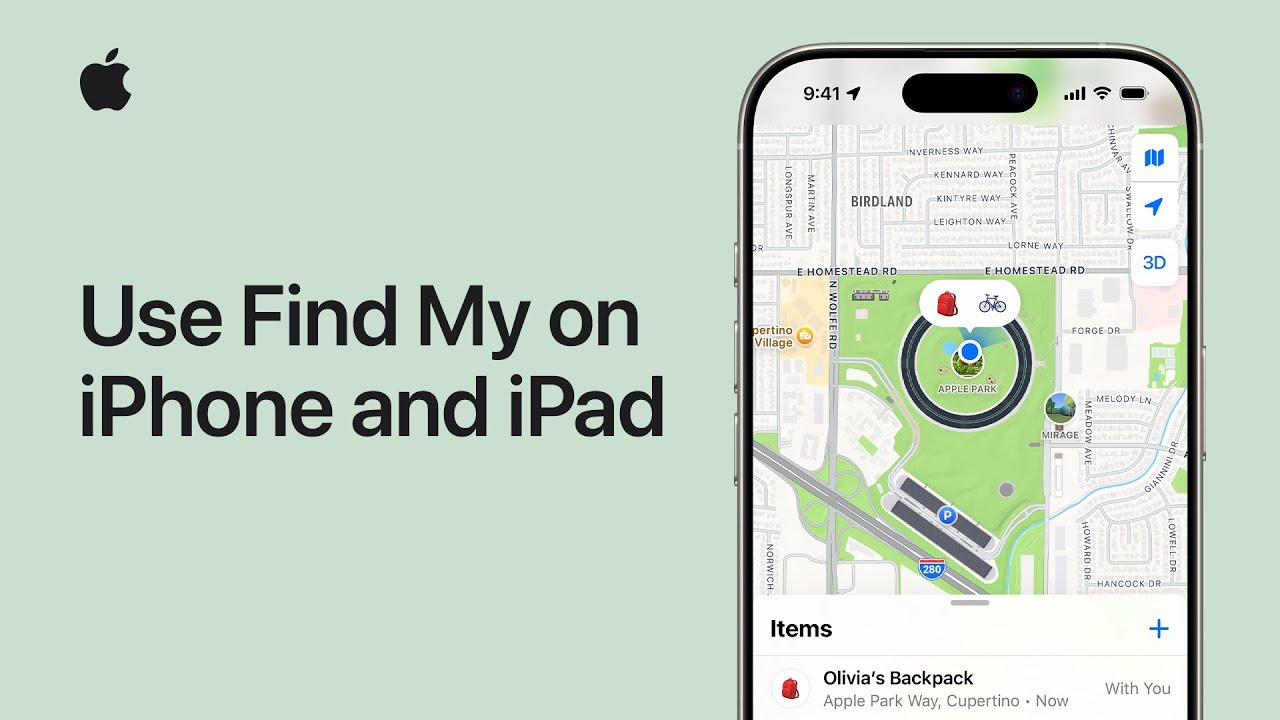
At find my iphone, we know that understanding the technology behind the tracking can significantly lower your anxiety levels. By knowing how your phone signals its location, you can make better decisions about how to retrieve it.
The Direct Answer: How Find My Blends GPS, Wi-Fi, and Cellular
Does Find My iPhone use GPS exclusively? No. It uses a hierarchy of location services including GPS, Bluetooth, Wi-Fi triangulation, and cellular towers to determine position based on what is available and most battery-efficient.
To understand how does find my iphone work, you have to look at it as a “smart” selection process. Your iPhone doesn’t just rely on one method; it constantly evaluates its environment to choose the best tool for the job.
GPS (Global Positioning System): The Foundation for Outdoor Tracking
Does Find My iPhone use GPS for the most accurate location? Yes. When outdoors with a clear view of the sky, GPS provides the highest level of precision, often down to a few meters.
When your iPhone has a clear line of sight to the sky, it utilizes the Global Positioning System (GPS). This is the gold standard for outdoor tracking. A GPS satellite signal is a radio signal transmitted from space that your iPhone’s receiver uses to calculate its exact coordinates (latitude and longitude) on Earth.
However, GPS has limitations. It drains battery life quickly and struggles to penetrate solid concrete or dense urban canyons. This is why many users ask, does find my iphone use gps all the time? The answer is that the system prioritizes it for precision but leans on other technologies to save power and maintain a signal indoors.
Wi-Fi Triangulation and Cellular Towers: The Solution for Indoor and Urban Areas
Does Find My iPhone use cellular data and Wi-Fi to find you indoors? Yes. When GPS signals are blocked, the system triangulates your position using known Wi-Fi networks and cell towers.
What happens when you’re indoors or GPS is unavailable? Find My intelligently switches to using the locations of known Wi-Fi networks and cellular towers. Your phone scans for nearby signals and cross-references their unique identifiers (MAC addresses or Cell IDs) against Apple’s massive crowd-sourced database.
- Wi-Fi Triangulation: Even if you aren’t connected to a Wi-Fi network, your phone can see the signal strength of nearby routers. By comparing signal strengths from multiple routers, it can estimate your location.
- Cellular Triangulation: This measures the signal strength and timing from nearby cell towers. It is generally less precise than GPS but covers a much wider area.
This hybrid approach leads to a common question: does find my iphone use data to send this location? Yes, under normal circumstances, your iPhone uses a small amount of mobile data to transmit these coordinates back to Apple’s servers so you can see them on the map.
What Do the Location Dots and Circles Mean on the Map?
What do the colored dots indicate? They represent the status and accuracy of the device’s location, giving you clues about whether the phone is online, offline, or actively moving.
When you look at the Find My map, what you see tells a story about the location’s accuracy. We’ll explain what each visual cue means to help you interpret the data correctly.
| Visual Cue | What It Means | How the Location Was Found |
|---|---|---|
| Blue Pulsing Dot | Your current location (the device you are using to search). | Uses your device’s own location services. |
| Green Dot | The live, real-time location of your lost device. | The device is online and reporting its precise location, likely via GPS or a strong Wi-Fi signal. |
| Grey Dot | The last known location of your device. | The device is offline, turned off, or the battery is dead. The time of the last location is shown. |
| Blue Circle Around a Dot | The margin of error. A smaller circle means higher accuracy (GPS). A larger circle means lower accuracy (likely Wi-Fi or cellular). | This shows the approximate area your device could be in. |
Understanding find my iphone accuracy is crucial. If you see a massive blue circle, do not assume the phone is at the exact center pin; it could be anywhere within that shaded radius.
The Magic of Offline Finding: How Find My Works Without Internet or Power
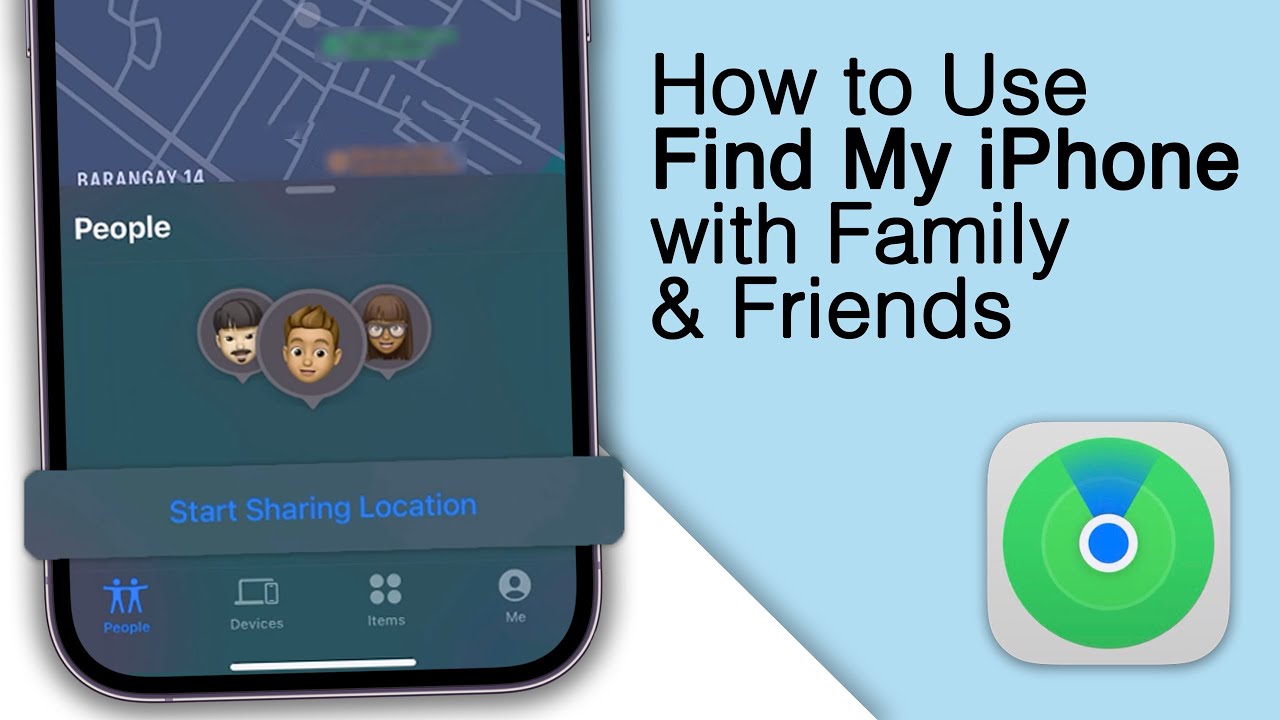
Does Find My iPhone work without internet? Yes. Through the “Find My Network,” your device can report its location by piggybacking on the internet connection of other nearby Apple devices.
This is perhaps the most revolutionary advancement in Apple’s tracking technology. Historically, if a thief pulled the SIM card or put the phone in Airplane Mode, tracking stopped. That is no longer the case.
The Find My Network: Your iPhone is Never Truly Alone
How does the Find My Network locate offline devices? It uses a secure, crowded-sourced network of hundreds of millions of Apple devices to detect missing items via Bluetooth.
Even if your lost iPhone has no Wi-Fi or cellular connection, it is never truly isolated. It securely broadcasts a tiny, encrypted Bluetooth signal. Other nearby Apple devices (strangers’ iPhones, iPads, Macs) act as silent relays. They detect this signal, report the location to iCloud, and let you see it on your map.
For those wondering does find my iphone work without internet, this network is the answer. It ensures that as long as there is another Apple device nearby, your phone has a path to communicate.
Key Facts About the Find My Network:
- It uses low-energy Bluetooth, having minimal impact on battery life.
- The process is end-to-end encrypted; not even Apple knows the location of your device or the device that helped find it.
- It relies on the vast number of Apple devices active around the world.
- This same technology powers the AirTag.
However, there are scenarios where even this network has limits. For example, if you are in a remote area with absolutely no other people around, the Bluetooth signal has no one to talk to. In such cases, you might ask does find my iphone work when there is no service or other devices? The answer is: it will show the last known location until another device passes within Bluetooth range.
Finding a Dead iPhone: The Power Reserve Feature
Can you find an iPhone if the battery is dead? Yes, on iPhone 11 and newer, the “Power Reserve” feature allows the device to remain findable for up to 5 hours (or more depending on iOS version) after the battery dies.
Starting with iOS 15, Apple introduced a game-changer for the find my iphone battery dead scenario. When your iPhone battery reaches 0% and shuts down, it doesn’t go completely dark. It enters a “Power Reserve” state.
In this state, the processor keeps a tiny amount of energy reserved strictly for the Bluetooth Low Energy chip. This allows the phone to continue acting like an AirTag. Many users worry, does find my iphone drain battery significantly? The answer is no—the energy required for these bursts is negligible, and the Power Reserve feature is specifically designed to work when the main battery is depleted.
Expert Note: The Power Reserve feature works on iPhone 11 and newer models. You’ll see a “iPhone Findable After Power Off” message when you shut down your device if the feature is active. This is a critical safety net for how to find a lost iphone when turned off.
Advanced Tracking & Security Features You Need to Know
What advanced technologies improve tracking? Newer iPhones utilize the U1 chip for Ultra Wideband precision and satellite connectivity for remote location sharing.
Apple continues to push the boundaries of device security and tracking.
For Pinpoint Accuracy: The U1 Chip and Precision Finding
What is Precision Finding? It uses Ultra Wideband (UWB) technology to provide directional arrows and distance to your device when you are in the immediate vicinity.
If you have an iPhone 11 or newer, it includes the U1 chip using Ultra Wideband technology. While GPS gets you to the building, UWB gets you to the specific couch cushion. If your lost iPhone is nearby (e.g., in the same room), Precision Finding can guide you to it with on-screen arrows, exact distance readings, and haptic feedback. It’s incredibly accurate, down to the inch.
The New Frontier: How Find My Uses Satellites
Does Find My iPhone use satellites? Yes, iPhone 14 and newer models can communicate directly with satellites to update your location when you are off the grid.
With iPhone 14 and newer, Apple introduced satellite communication for emergencies. While widely known for SOS, this feature also integrates with Find My. If you are hiking in a location with no cellular or Wi-Fi coverage, you can open the Find My app and manually update your location via satellite.
This is distinct from standard GPS. Standard GPS is “listen-only” (your phone hears the satellite). This new feature is “two-way” (your phone speaks to the satellite). This technology is also tied to safety features; for instance, many users ask does find my iphone have crash detection, which works in tandem with these location services to alert authorities if you are unresponsive.
Privacy First: Can Someone Tell If You Are Checking Their Location?
Is Find My iPhone private? Yes, location data is encrypted, and Apple provides transparency tools to let users know when their location is being accessed.
If you are sharing your location with a person, they will not get a notification every time you check it. However, an arrow icon may occasionally appear in the status bar of their iPhone, indicating that their location is being used by an app or service (which could be Find My).
Risk Warning: If you suspect your Apple ID has been compromised, a malicious actor could track your location without your knowledge. Always use a strong, unique password and two-factor authentication. Occasionally, services may go offline. If you are having trouble locating a device, it is worth checking the apple system status find my iphone page to ensure the service is operational.
Your Action Plan: Setting Up and Using Find My Effectively
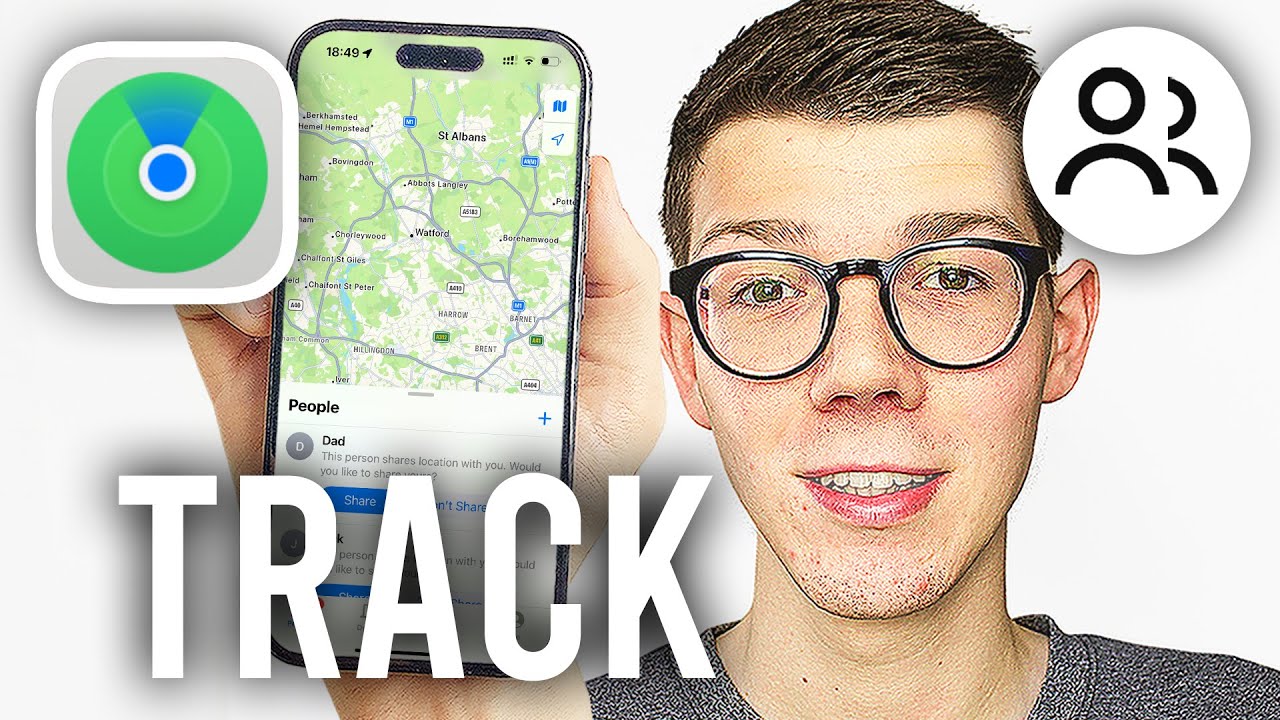
How do I ensure I can find my lost phone? You must enable “Find My iPhone,” “Find My network,” and “Send Last Location” in your iCloud settings before the device is lost.
At FindMyiPhone.onl, we often see users who only partially set up these features. Don’t wait until your device is lost. A few minutes now can save you hours of stress later.
Step-by-Step: How to Ensure Find My is Enabled Correctly
Follow these steps to confirm everything is on:
- Go to Settings > [Your Name] > Find My.
- Tap Find My iPhone and ensure it’s turned ON.
- Crucially, make sure Find My network is also turned ON. This is what enables offline finding.
- Ensure Send Last Location is turned ON. This automatically sends the location to Apple when the battery is critically low.
- Go back to Settings > Privacy & Security > Location Services. Make sure Location Services is ON.
Travel Tip: If you are traveling abroad, you might wonder does find my iphone work internationally? Generally, yes, as long as the device can find a signal. However, there are regional exceptions. For specific restrictions, it is helpful to research does find my iphone work in china or other countries with strict internet regulations.
What to Do The Moment You Realize Your iPhone is Lost
Stay calm and act fast. Open the Find My app on another Apple device or log in to iCloud.com/find on a web browser.
Your Three Main Options:
- Play Sound: If you think the phone is nearby, make it play a loud sound. A common concern is settings; however, you should know that does find my iphone work on do not disturb is a definitive yes—the sound will override the silent switch and Do Not Disturb mode.
- Mark As Lost (Lost Mode): This is your most powerful tool. It remotely locks your device with a passcode, displays a custom message with a phone number on the lock screen, and suspends Apple Pay. It also begins tracking the device’s location history over time.
- Erase This Device: This is the last resort for a stolen phone to protect your data. It will delete all your information. Warning: After you erase it, you can no longer track it. If you believe your device has been taken, consult our guide on find my iphone stolen for immediate steps to protect your identity.
Sometimes, technical glitches happen. If the app isn’t loading, you might need to check is find my iphone down to rule out server issues.
Find My iPhone vs. Google’s Find My Device: A Quick Comparison
How does Apple’s Find My compare to Google’s offering? Apple’s network historically has a denser user base for offline tracking, though Google is rapidly catching up with its new Find My Device network.
Both Apple and Google offer robust device-finding services, but they have key differences.
| Feature | Apple Find My | Google Find My Device |
|---|---|---|
| Primary Technologies | GPS, Wi-Fi, Cellular, Bluetooth | GPS, Wi-Fi, Cellular, Bluetooth |
| Offline Finding Network | Very robust; leverages all modern iPhones, iPads, and Macs anonymously. | Growing network; leverages participating Android devices. |
| Find When Off | Yes, with Power Reserve (iPhone 11+). | No, usually requires power (Pixel 8 Pro is an exception). |
| Precision Finding | Yes, with U1/U2 chip (Ultra Wideband). | Yes, with UWB support on newer Pixel phones. |
| Ecosystem Integration | Deeply integrated across iPhone, Mac, Watch, AirTags. | Integrated across Android phones, tablets, and watches. |
For users who are switching platforms or have mixed households, understanding find my iphone vs google find my device is essential. Additionally, if you are an Android user trying to help a friend, you might need to know how to access find my iphone from android.
There are also third-party alternatives. Many parents use Life360, leading to the debate of life360 vs find my iphone. While Life360 is great for social location sharing, Find My is superior for hardware recovery. For a broader look at the market, you can explore other apps like find my iphone.
Historical Context: It’s interesting to note how far we’ve come. If you look back at when did find my iphone come out, it started as a MobileMe feature in 2010. Today, it is a global security mesh network.
Conclusion
Find My is more than just a single feature; it’s a multi-layered safety net for your devices. It cleverly blends GPS for outdoor accuracy with Wi-Fi, cellular, and an encrypted Bluetooth network to locate your iPhone in almost any situation—online, offline, and sometimes even when powered off.
The key to its effectiveness is not just understanding how location tracking works, but ensuring it’s properly configured before you need it. By doing so, you give yourself the best possible chance of recovering a lost device.
Don’t wait until it’s too late. Open your iPhone’s settings right now, go to Find My, and verify that “Find My iPhone,” “Find My network,” and “Send Last Location” are all enabled. Your future self will thank you.
Note: The information in this article is for reference only. For the best advice, please contact us directly for a specific consultation based on your actual needs.

About This Guide
Published by: FindMyiPhone.onl Editorial Team
Last Updated: January 16, 2026
Tested On: iPhone 15 Pro (iOS 17.5.1), iPhone 13 (iOS 17.4)
This tutorial was created through hands-on testing on real devices. All screenshots are from our testing lab. We update guides within 48 hours of iOS releases.
Questions? Contact our team | Meet the team Editorial Team