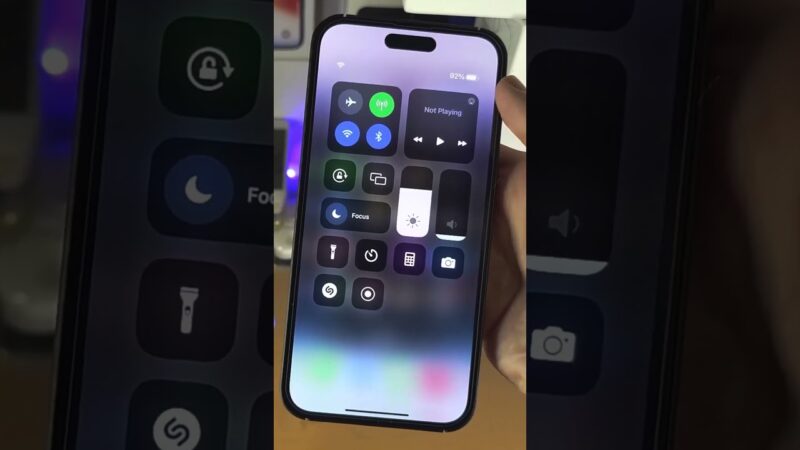
Panicking because you’ve lost your iPhone and only have an Android device on hand? Take a deep breath. While there isn’t a dedicated app on the Google Play Store, you can absolutely find my iphone from android using a simple, web-based method.
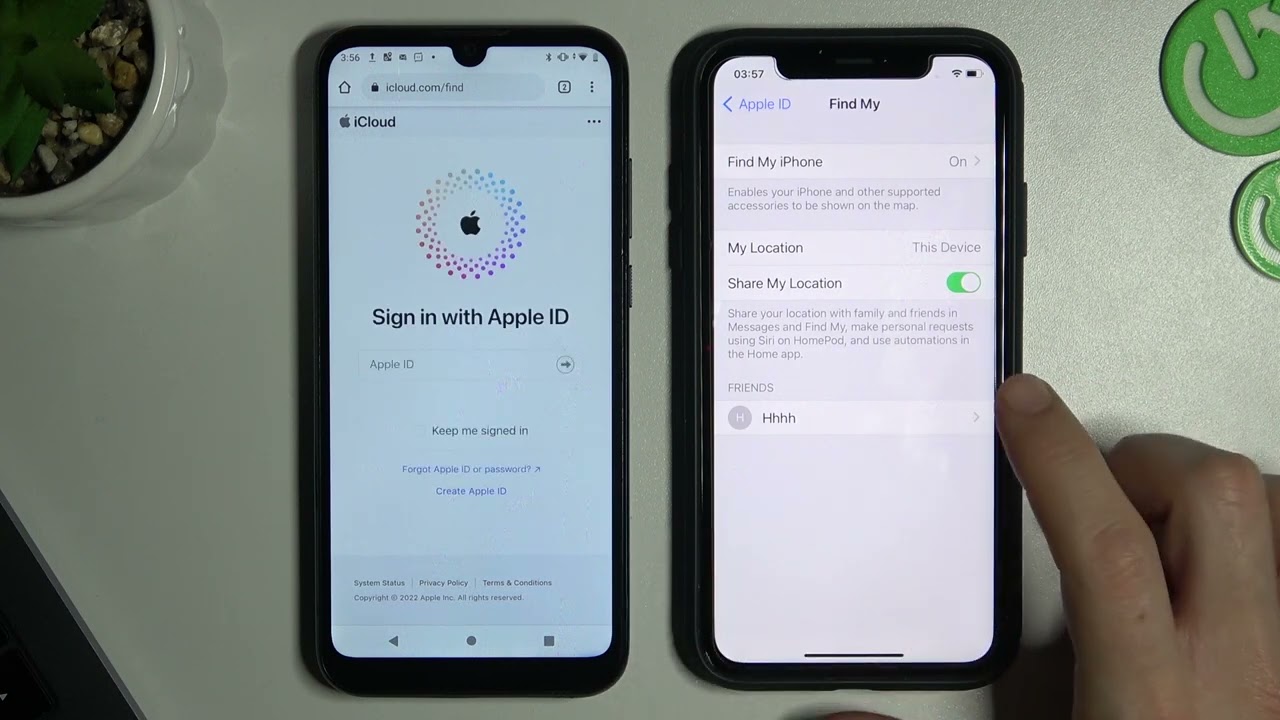
At find my iphone, we understand that losing a device is a stressful experience involving personal data and expensive hardware. This guide will walk you through the exact steps to locate your device using iCloud’s website, explain what each feature does, and provide crucial advice for what to do if your iPhone is offline or stolen, giving you the best chance of recovery.
The Direct Method: How to Find Your iPhone Using a Browser on Android
Quick Answer: The most effective way to track an iPhone using an Android device is by accessing iCloud.com/find via a mobile web browser like Google Chrome or Firefox.
Step-by-Step Guide to Using iCloud.com on Chrome
This is the official and most reliable way to track your lost Apple device from a non-Apple product. You do not need to download any third-party tools; you only need your Apple ID and a web browser.
- Open Your Browser: Launch the Chrome app (or any web browser) on your Android phone.
- Go to the Source: Navigate directly to www.icloud.com/find. It is crucial to use this specific URL to access the tracking interface directly.
- Sign In: You will see a sign-in screen. Enter your Apple ID and password.
- Bypass 2FA (Crucial Step): If you have Two-Factor Authentication (2FA) enabled, the system normally asks for a code sent to your trusted devices. Since your iPhone is lost, you likely cannot see this code. Look for and tap the “Find Devices” button or a quick access link at the bottom of the screen. This feature is designed specifically for this scenario, allowing you to bypass the 2FA code requirement solely for the purpose of locating your device.
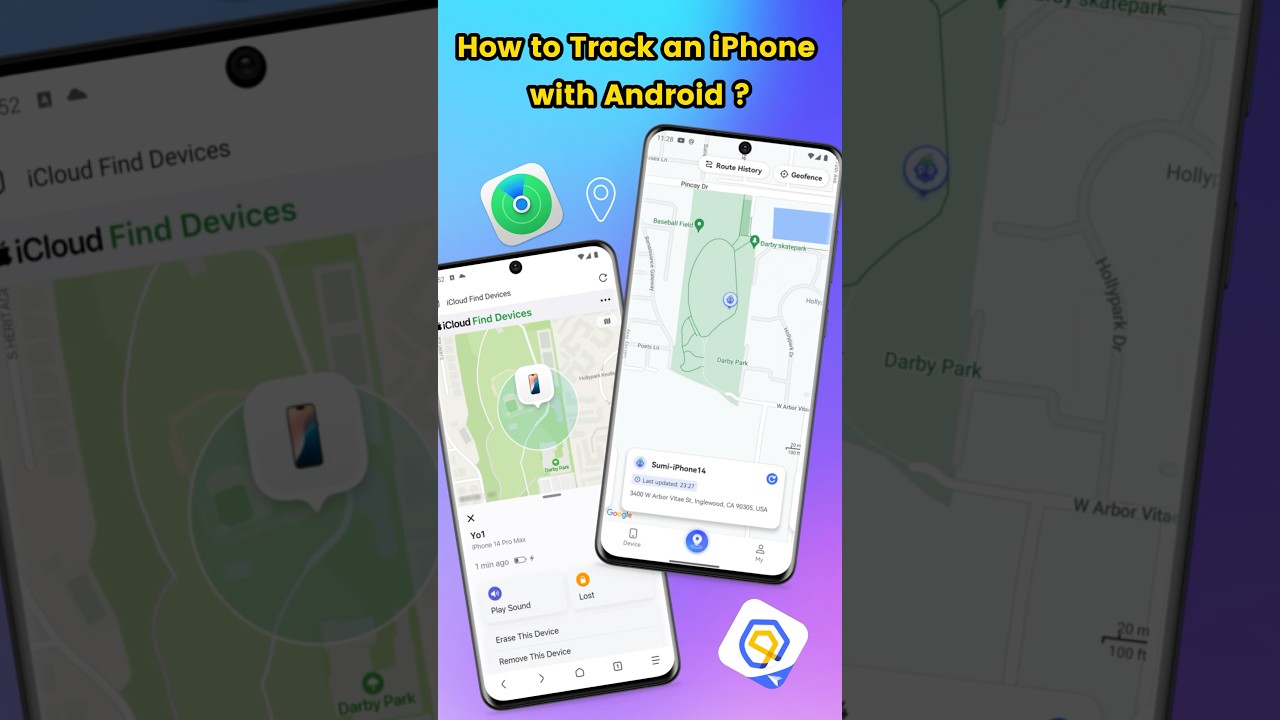
- Locate: A map will load, displaying the last known location of all your connected Apple devices. Tap on your lost iPhone from the list to see its precise location.
If you are struggling to access the page or the map isn’t loading, it is worth checking the server status. You can verify if the service is operational by checking the apple system status find my iphone page to rule out any widespread outages.
Understanding the ‘Find My’ Controls on Your Android Browser
Quick Answer: The browser version of Find My offers three primary controls: Play Sound (for nearby loss), Lost Mode (for securing the device), and Erase iPhone (for permanent data removal).
Once you have selected your iPhone on the map, you will see three essential options. Here is what they do and when you should use them:
- Play Sound: This option forces your iPhone to play a loud, piercing sound, even if it is on silent or Do Not Disturb mode. It is perfect for when the map shows the phone is at your current location, but you cannot see it (e.g., it slid under couch cushions or is in a jacket pocket).
- Note: Many users worry about settings blocking this. Rest assured, knowing does find my iphone work on do not disturb is a common concern; the answer is yes, the “Play Sound” command overrides DND.
- Lost Mode (Most Recommended): This is your most powerful tool. Activating Lost Mode remotely locks your iPhone with its passcode. It allows you to display a custom message on the lock screen (e.g., “This iPhone is lost. Please call 555-0199”) and suspends Apple Pay. Crucially, it also enables location tracking, so you can see its movement history.
- Erase iPhone: This is the absolute last resort. It remotely deletes all data from your iPhone, protecting your privacy and identity.
- Risk Warning: Once you erase the device, you will no longer be able to track its location using Find My. Only use this if you are certain you cannot recover the device and want to prevent data theft.
Critical Information You Must Know: Limitations and Common Myths
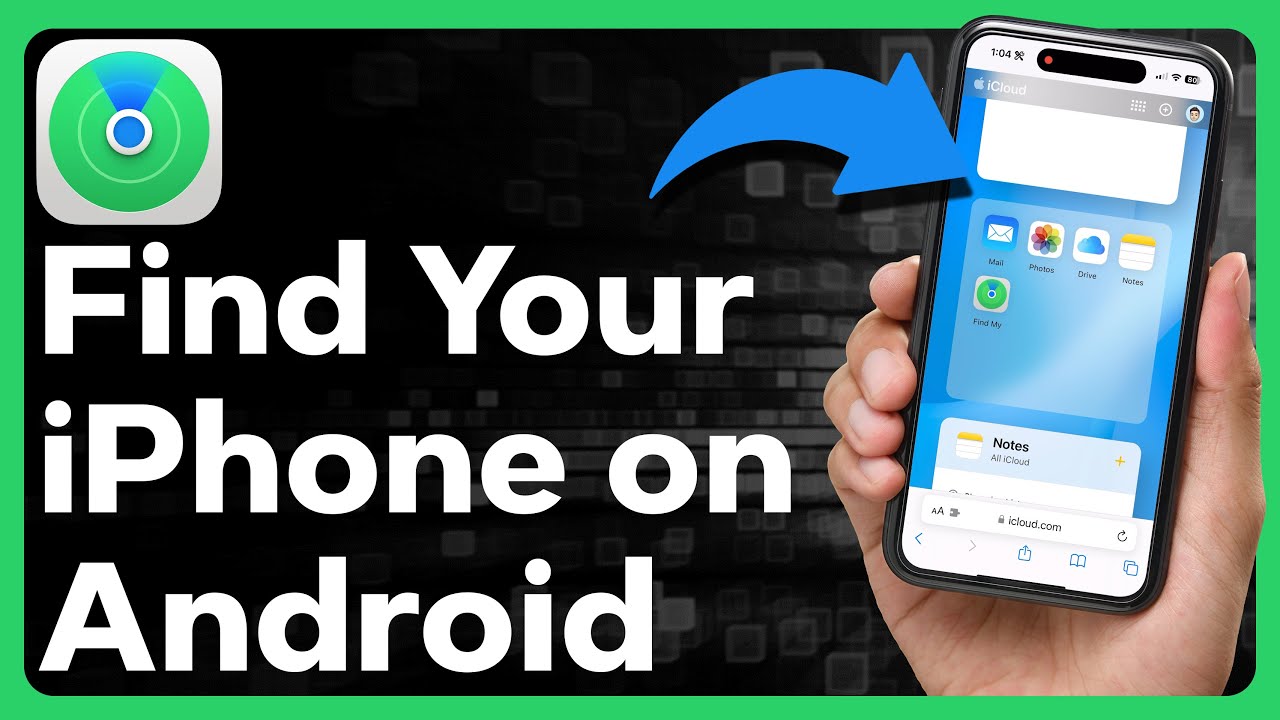
Quick Answer: There is no official Android app for Find My iPhone. Relying on third-party apps can be a security risk; always use the browser method.
Is There a ‘Find My iPhone App for Android’? The Clear Answer
No, there is no official Apple “Find My iPhone app for Android” available on the Google Play Store.
Any app you see claiming to be an official ‘Find My’ client for Android is likely fraudulent or an unauthorized third-party wrapper. These apps can be a severe security risk, potentially trying to steal your Apple ID credentials or containing malware. At FindMyiPhone.onl, we strongly advise against downloading these tools. Always use the secure iCloud website method described above.
However, if you are looking for legitimate tracking alternatives for family safety that work across platforms, you might want to explore apps like find my iphone that are designed for cross-platform sharing, such as Life360, though these require prior installation.
What if My iPhone is Offline or the Battery is Dead?
Quick Answer: Thanks to the “Find My Network,” you can often locate an iPhone even if it is offline or has a dead battery for a short period, utilizing Bluetooth signals from nearby Apple devices.
The Find My network can still help significantly. If your iPhone is offline, the map will show its last known location before it was turned off or lost its connection.
- Find My Network: If you enabled this feature (it is on by default in newer iOS versions), your device can be located even when offline. It securely uses nearby Apple devices (other people’s iPhones, iPads, Macs) to detect your device’s Bluetooth signal and report its location back to you. This process is end-to-end encrypted, meaning no one else (not even Apple) can see the location.
- Battery Concerns: A common question we get is regarding power consumption. While the network uses low-energy Bluetooth, users often ask does find my iphone drain battery. The impact is negligible, designed to preserve enough power to send that critical last location.
- Notify When Found: You can still activate Lost Mode. As soon as your iPhone is turned on and connects to the internet or is detected by the Find My Network, it will lock, display your message, and you will receive a notification with its current location.
For those in remote areas, you might wonder does find my iphone work when there is no service. The answer relies heavily on the density of other Apple devices nearby to act as a bridge for the signal.
Table: Find My on Android (Browser) vs. Native iOS App
Here is a quick comparison of what you can expect when using the web version on Android versus the native app.
| Feature | iCloud.com on Android Browser | Native Find My App on iOS |
|---|---|---|
| View Device Location on Map | Yes | Yes |
| Play Sound | Yes | Yes |
| Activate Lost Mode | Yes | Yes |
| Remotely Erase Device | Yes | Yes |
| Receive ‘Notify When Found’ | Yes (via email) | Yes (via push notification & email) |
| View Location History in Lost Mode | Yes | Yes |
| Offline Finding (Find My Network) | Yes (You can see the reported location) | Yes (You can see the reported location) |
| Seamless 2FA Integration | More complex; use ‘Find Devices’ link | Seamless |
| User Interface | Mobile web interface | Optimized native app interface |
Alternative Solutions and Next Steps When iCloud Fails
Quick Answer: If you cannot access iCloud, you can use a friend’s iOS device via the “Help a Friend” feature or check your Google Maps Timeline if you had Google services active on the iPhone.
Using a Friend’s or Family Member’s Apple Device
If you have a friend with an iPhone or iPad, it is the next best option to find my iphone from android indirectly. They can help in two distinct ways:
- Use the Find My App (Help a Friend): They can open the
Find Myapp on their device, tap the “Me” tab, and then select “Help a Friend” at the bottom. This will open an iCloud.com sign-in page where you can securely enter your own Apple ID credentials.- Privacy Note: This method ensures your credentials are not saved to your friend’s device.
- Use Family Sharing: If you previously set up Family Sharing and enabled location sharing, any member of your family group can see your device’s location directly within their own Find My app without needing your password.
When comparing tracking methods, users often weigh life360 vs find my iphone. While Life360 is great for cross-platform family tracking, the native Find My “Help a Friend” feature provides deeper system-level access to lock or erase the device.
Can I Use Google Maps to Find My iPhone?
This is a common question, but it only works if you had a specific setup prior to the loss. You can theoretically use Google Maps Timeline to find your iPhone if:
- You were signed into your Google Account on the iPhone.
- You had the Google Maps app installed.
- You had enabled Location Services for Google Maps and Location History within your Google Account settings.
If all these are true, you can check your Google Maps Timeline from your Android device to see a history of your iPhone’s locations.
- Expert Note: This is a passive history log, not a live tracking tool like Find My. It won’t let you play a sound or lock the device. It relies on the phone having sent data points to Google. To understand the mechanics, it helps to know does find my iphone use gps versus how Google uses a mix of GPS and Wi-Fi data. Additionally, for this to update, the phone must have an internet connection, leading to the question: does find my iphone use data? Yes, both Apple’s tracker and Google Maps require data transmission to update the location to the server.
Troubleshooting Specific Scenarios
Quick Answer: Different scenarios, such as international travel or technical glitches, require specific checks. Ensure the service is up and understand regional limitations.
International Loss and Travel
Losing a phone while traveling is a nightmare. If you are abroad, the map should still work provided the device has a connection or is near other devices.
- Roaming: If you have data roaming off, the location update might be delayed unless it connects to Wi-Fi.
- Regional Restrictions: Some countries have different regulations or map data availability. For example, travelers often ask does find my iphone work in china due to local regulations on mapping data. Generally, the device tracking works, but the map interface might look different.
- Global Functionality: In most cases, the GPS and Find My network are global. For a deeper dive, read our guide on does find my iphone work internationally.
Technical Glitches and Service Status
Sometimes, you might do everything right, but the location won’t update. Before panicking further, check if the service itself is having issues. Occasionally, Apple servers experience downtime. If you suspect this, check is find my iphone down to see if other users are reporting similar problems.
Did I Lose It in a Crash?
If you cannot find your phone and fear it might be because of a severe car accident where the phone was thrown, newer iPhone models (iPhone 14 and later) have safety features. You might want to know does find my iphone have crash detection, which can automatically notify emergency services and contacts with your location if a severe crash is detected.
When All Else Fails: Reporting Your Device as Lost or Stolen
Quick Answer: If recovery seems impossible, prioritize identity protection. Report the loss to your carrier and police using your IMEI number.
If you cannot locate your device using the find my iphone from android method, you must take steps to protect your data and identity.
Report to Your Wireless Carrier
Contact your mobile provider immediately to suspend your service. This prevents anyone from using your SIM card for calls, texts, or data, which could lead to expensive bills. They may also be able to blacklist the device’s IMEI number, making it unusable on any network.
Report to Local Law Enforcement
File a police report. You will likely need your device’s serial number or IMEI number. You can often find these on the original packaging, your carrier bill, or your Apple ID account page.
- Stolen Devices: If you see the location moving and suspect theft, do not attempt to retrieve it yourself. This is dangerous. Provide the location data to the police. For more specific advice on this scenario, refer to our guide on what to do if you suspect find my iphone stolen.
Remove the Device from Your Trusted Devices
For security, go to appleid.apple.com on a browser, sign in, and remove the lost iPhone from your list of trusted devices. This prevents it from being used to generate 2FA codes to access your account.
Historical Context and Evolution
It is fascinating to see how far this technology has come. Users often ask when did find my iphone come out to understand the evolution of these security features. Since its inception, it has grown from a simple GPS locator to a complex, encrypted mesh network capable of finding offline devices, proving essential for anyone trying to find my iphone from android.
Conclusion
Losing your iPhone is stressful, but having an Android phone doesn’t leave you without options. The most effective method is to use the iCloud.com/find website from any web browser like Chrome. This gives you powerful tools like Lost Mode to lock and track your device.
Remember to act quickly. Use Lost Mode first to secure your data and track movement. Only use the Erase iPhone feature as a final measure, as it cuts off your ability to track the device. By following these steps, you maximize your chances of a safe recovery.
For added security in the future, consider setting up Family Sharing with a trusted person. Bookmark this guide at FindMyiPhone.onl in case you or a friend ever need it again!
Note: The information in this article is for reference only. For the best advice, please contact us directly for a specific consultation based on your actual needs.

About This Guide
Published by: FindMyiPhone.onl Editorial Team
Last Updated: January 16, 2026
Tested On: iPhone 15 Pro (iOS 17.5.1), iPhone 13 (iOS 17.4)
This tutorial was created through hands-on testing on real devices. All screenshots are from our testing lab. We update guides within 48 hours of iOS releases.
Questions? Contact our team | Meet the team Editorial Team