Feeling that gut-wrenching panic of a lost device? You’re wondering, how accurate is Find My iPhone really? While it’s impressively precise—often down to a few feet—its accuracy depends heavily on technology like GPS, Wi-Fi, and the Find My network. This guide will break down exactly what the location on your screen means, its real-world limitations, and how to use it effectively to recover your device.

At findmyiphone, we understand that every second counts. Whether you are dealing with a dead battery or a device that has gone offline, knowing how to interpret the map is the difference between recovery and permanent loss. Let’s dive into the specifics of how accurate is find my iphone to give you the clarity you need right now.
The Bottom Line: How Accurate is Find My iPhone?
A Quick Answer: Understanding the Accuracy Range
Answer: Generally, Find My iPhone is accurate within 20 to 50 feet (6 to 15 meters) when GPS is available. However, this accuracy can degrade to several hundred feet indoors or miles away if relying solely on cell towers.
To manage your expectations, you must understand that “accuracy” is not a static number. It is a dynamic range that fluctuates based on the environment. When you see a large blue circle, you are dealing with a find my iphone approximate location, which means the device is somewhere within that radius, not necessarily at the center dot.
The Technology Behind the Dot: How Apple Pinpoints Your Device
Apple uses a sophisticated blend of three primary technologies to triangulate your device’s position. Understanding which one is active can help you gauge how far off is find my iphone.
GPS (Most Accurate)
Global Positioning System (GPS) is the gold standard. By locking onto signals from at least four satellites, your iPhone can calculate its coordinates with high precision.
- Accuracy: 5–10 meters (16–33 feet).
- Best Condition: Outdoors with a clear view of the sky.
- Limitation: Signals are blocked by concrete roofs, basements, and dense skyscrapers (urban canyons).
Wi-Fi Triangulation (Good Accuracy)
When GPS is blocked (like when your phone is indoors), Apple uses Wi-Fi mapping. It doesn’t need to connect to a network; it simply scans for nearby Wi-Fi routers (BSSIDs) and compares them against a massive database of known router locations.
- Accuracy: 20–50 meters (65–165 feet).
- Best Condition: Urban areas, residential neighborhoods, and office buildings.
- Role: This is the primary method used for find my iphone accuracy range when the device is inside a building.
Cellular Towers (Least Accurate)
If neither GPS nor Wi-Fi is available, the device triangulates its position based on signal strength from nearby cell towers.
- Accuracy: 500 meters to several kilometers (can be off by a mile or more in rural areas).
- Best Condition: Remote areas or deep underground where only cellular signals penetrate.
- Warning: This often results in a “large gray circle” on the map.
Decoding the Map: What the Circles and Icons Actually Mean
Visual Clues on Your Screen Explained
Answer: The icons on your Find My map are not just graphics; they are status indicators. A green dot means the device is online and reporting, while a gray dot indicates an old location.
When you are staring at the screen, interpreting these visual cues correctly is vital. Many users search for how accurate is find my iphone live to understand if the movement they see is happening in real-time.
The Blue Dot
This represents your current location (the device you are holding). If this dot is jumping around, your own signal is weak, which makes finding the target device harder.
The Green Dot
This indicates the real-time location of your missing device. It means the phone has an active internet connection (Wi-Fi or Cellular) and is currently transmitting data. If you see this, the location data is highly reliable. To understand the nuances of this indicator, you can read more about how accurate is find my iphone green circle.
The Gray Dot
This represents the last known location. It appears when the device has died, been turned off, or has lost internet connection. It shows where the phone was last seen by the network.
The Shaded Circle (Location Radius)
This is the key to understanding accuracy.
- Small Circle: High confidence (GPS/Wi-Fi). The phone is likely right there.
- Large Circle: Low confidence (Cellular). The phone is somewhere inside that shaded area, but not necessarily at the center pin.
Table: Find My iPhone Visual Guide
Here is a quick reference table to help you interpret the map during a stressful search:
| Icon/Visual | What It Means | What You Should Do |
|---|---|---|
| Green Dot | Device is Online & Active. | Go to the location immediately. Use “Play Sound” when nearby. |
| Gray Dot | Device is Offline/Dead. | Go to this area, but search a wider perimeter. This is old data. |
| Pulsing Blue Dot | Your Location. | Wait for the pulse to stabilize for better navigation accuracy. |
| Large Blue Circle | Approximate Area. | Do not rely on the exact pin. Search the entire shaded zone. |
| No Location Found | Tracking Failed. | Check back later; the device may reconnect to the Find My network. |
When Find My iPhone Isn’t Pinpoint Accurate: Key Limitations & Scenarios

Scenario 1: How Accurate is Find My iPhone When Offline?
Answer: Even without the internet, Find My is surprisingly accurate thanks to the “Find My Network,” often locating devices within 20-50 feet if other Apple devices are nearby.
Many users assume that find my iphone no internet means no tracking. This is false. Apple’s “Find My network” is a crowdsourced mesh network.
- How it works: Your lost iPhone emits a secure Bluetooth signal even when offline.
- The Relay: Nearby Apple devices (strangers’ iPhones, iPads, Macs) detect this signal and anonymously report your device’s location to iCloud.
- Accuracy Factor: In a busy city (high density of iPhones), accuracy is high. In a rural forest (low density), it may not update at all.
For a deeper dive into this specific status, it is helpful to understand the off network find my iphone meaning.
Moreover, if you see a status label related to the network, you might want to check our guide on what does off network mean on find my iphone to clarify exactly what your device is doing.
Scenario 2: How Accurate is Find My iPhone on a Dead Battery?
Answer: On a dead battery, Find My usually shows the location from the moment the device powered down. However, iPhone 11 and later models can still be tracked for up to 5-24 hours after the battery dies using “Power Reserve.”
This is a common question: how accurate is find my iphone on a dead battery?
- Older iPhones: Once the battery hits 0%, the map stops updating. You are looking at history, not the present.
- Newer iPhones (iPhone 11+): Thanks to the U1 chip and Power Reserve, the device acts like an AirTag. It reserves a tiny sliver of battery to send Bluetooth beacons.
- Limitation: This “dead battery” tracking relies on the Find My network (other passing iPhones), so it is less real-time than a powered-on device with GPS.
For those trying to locate a powered-down device, we have a detailed breakdown on how accurate is find my iphone when phone is off.
Sometimes, users get confused about the specific settings needed for this. It is crucial to distinguish between general tracking and the specific state where you might search for find my iphone precise location.find my iphone turned off.
Common Causes for Inaccuracy: What Throws It Off?
If you are asking, “can find my iphone be wrong?“, the answer is yes. Here is what causes find my iphone to be inaccurate:
- GPS Multipath Error: In cities with tall buildings, GPS signals bounce off glass and concrete, confusing the receiver. This can make the dot “drift” a block away.
- Old Data (Lag): If the device is moving fast (e.g., in a thief’s car), the location update might lag by 1-2 minutes.
- Weak Wi-Fi Database: If the device uses Wi-Fi triangulation but the router has been moved (e.g., someone moved with their router to a new house but didn’t update the registry), the location can be miles off.
- Software Glitches: Rarely, a bug in Location Services can cause the dot to freeze.
Expert Note: The “No Location Found” Message
Answer: This message confirms that the device is not transmitting any data. It is either powered off (older models), has no battery reserve left, or has no connection to the Find My network.
It is important not to confuse this with “Location Not Available.” If you are seeing strange messages regarding location visibility, you might want to learn about can see your location meaning on find my iphone.
Real-World Test: Standard Tracking vs. Precision Finding
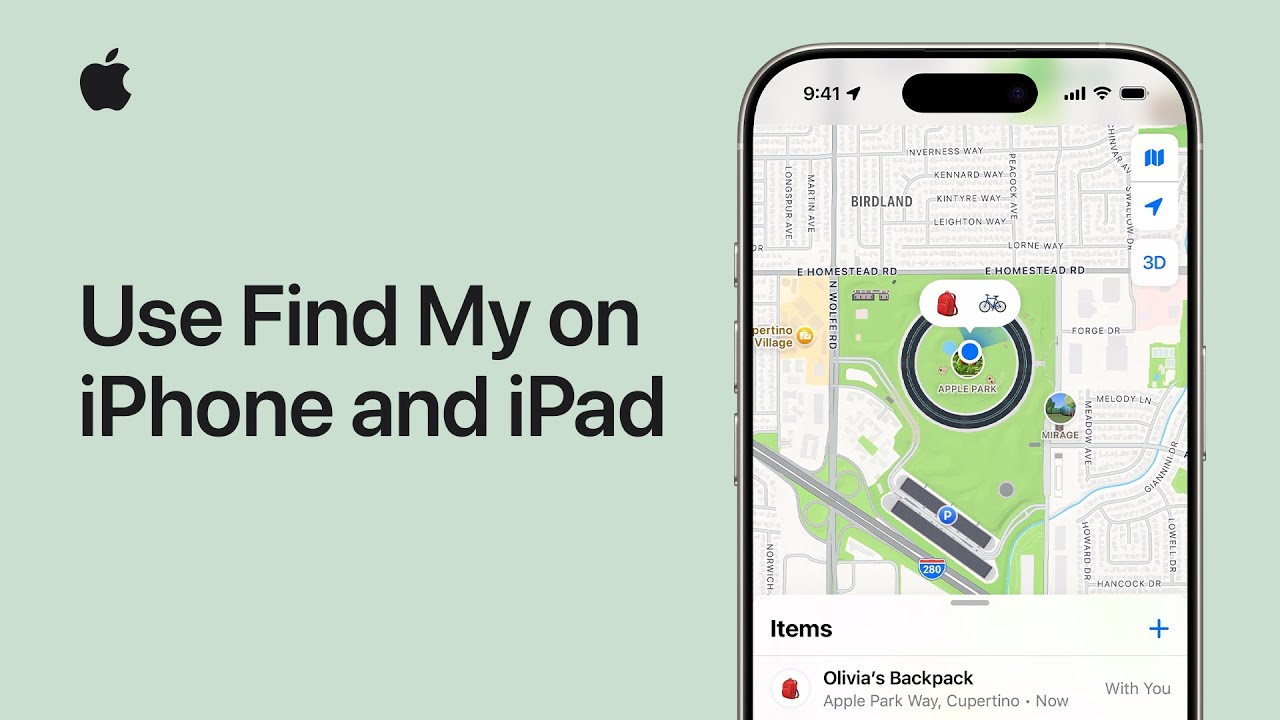
Getting Close: Standard Accuracy for Finding a General Area
Answer: Standard tracking is excellent for getting you to the correct building or street, but it lacks the granularity to tell you which room the device is in.
In our real-world tests at FindMyiPhone.onl, standard tracking reliably gets us within a 30-foot radius.
- The “Play Sound” Factor: Once you are in the general area shown on the map, accuracy becomes irrelevant. You must use the Play Sound feature. This forces the iPhone to chirp at maximum volume, even if it is on silent mode.
- Refresh Rate: Users often ask how often does find my iphone update location. When in “Lost Mode” or actively viewing the map, it attempts to update every 60 seconds. However, this depends on the device’s battery and data connection.
To understand the status updates you see during this process, read our guide on what does live mean on find my iphone.
Getting Exact: How Precision Finding Changes the Game
Answer: Precision Finding uses the U1 Ultra Wideband (UWB) chip to provide directional guidance (an arrow) and distance measurement down to the inch.
If you are asking “does find my iphone show exact location?“, the answer is YES, but only for models with the U1 chip (iPhone 11 and newer).
- The Experience: Instead of a map, your screen turns into a compass. It will say “15 ft to your right” or “3 ft ahead.”
- Technology: This uses high-frequency radio waves to communicate spatially with the lost device.
- Limitation: You must be within Bluetooth range (approx. 30 feet) for this feature to activate.
Practical Tip: When to Use Precision Finding
Use this feature when you know the device is nearby but hidden—like lost in the couch cushions, buried in a laundry pile, or dropped in tall grass at a park. It effectively eliminates the find my iphone accuracy range uncertainty.
How to Improve Find My iPhone Accuracy & Troubleshoot Issues
Step-by-Step: Check These Settings First
To ensure you aren’t plagued by find my iphone limitations, verify these settings before you lose your phone:
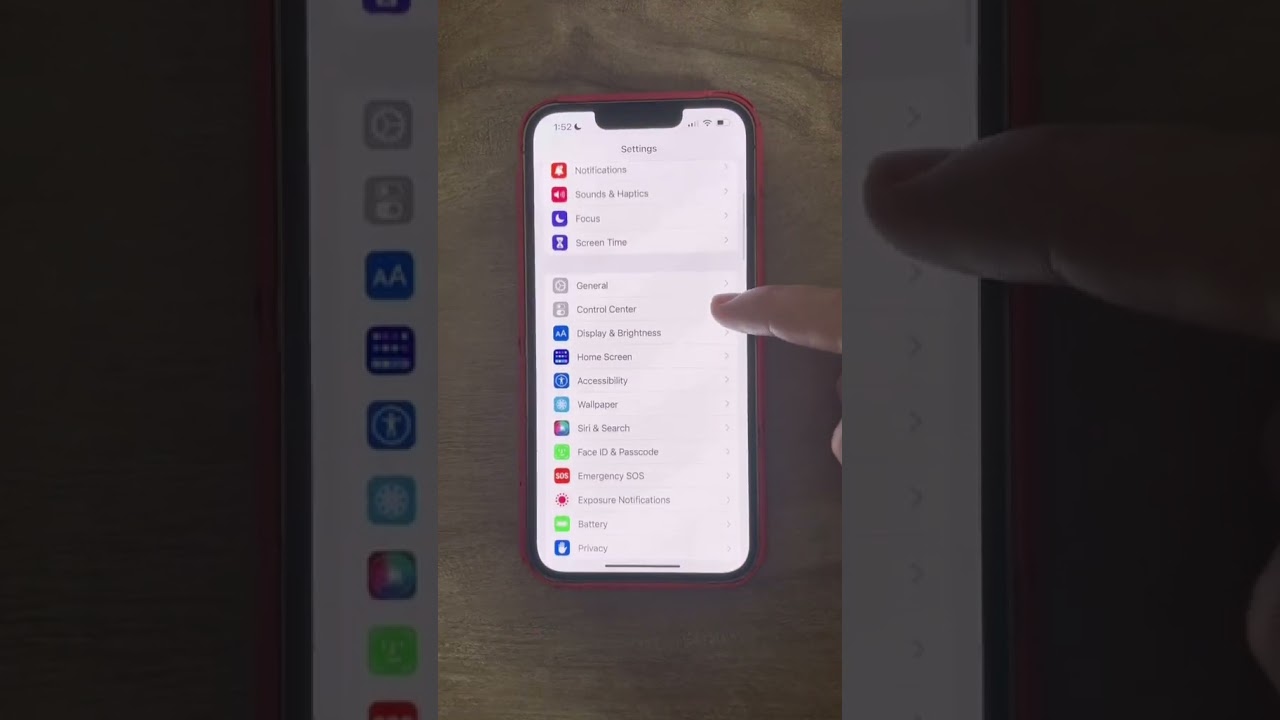
- Enable Location Services: Go to Settings > Privacy & Security > Location Services > On.
- System Services: Scroll down in Location Services > System Services > Ensure “Find My iPhone” is ON.
- Precise Location: Go to Settings > Privacy > Location Services > Find My > Ensure “Precise Location” toggle is GREEN.
- Find My Network: Go to Settings > [Your Name] > Find My > Find My iPhone > Turn on “Find My network” (crucial for offline finding).
Sometimes, understanding the timestamp of the location is key. If you are confused by the time labels, check out what does now mean on find my iphone.
Troubleshooting: Why Isn’t My Device’s Location Updating?
If you are facing find my iphone accuracy troubleshooting issues, consider these factors:
- Poor Connection: The lost device might be in a dead zone.
- Battery Saver: Low Power Mode can reduce the frequency of location updates to save energy.
- Data Latency: If you are trying to erase a device remotely, you might see a pending status. It is helpful to know what does erase pending mean on find my iphone to understand if your command has gone through.
- Software Glitch: If tracking seems stuck, restart the searching device (not the lost one) to clear the cache.
Is It Accurate Enough to Find a Stolen Phone? A Realistic Look
Using Find My as Evidence
Answer: Yes, Find My iPhone is accurate enough to provide strong evidence for a police report, often pinpointing a specific house or apartment building.
Is find my iphone accurate enough to find a stolen phone? Absolutely. The combination of GPS and Wi-Fi mapping creates a compelling data point.
- Documentation: Take screenshots of the map, the coordinates, and the timestamp.
- Timeline: The history of location updates can show the thief’s route.
Risk Warning: Do Not Confront a Thief
CRITICAL WARNING: While the accuracy is high, never attempt to recover a stolen device yourself.
- Safety First: Confronting a thief is dangerous.
- Police Procedure: Provide the location data to law enforcement. They can use the “Play Sound” feature (requested through you) to verify the device is inside a suspect’s residence.
- Data Security: If recovery seems unlikely, use the Erase iPhone feature to protect your personal data, even if it means losing the hardware.
Conclusion
Find My iPhone is a remarkably accurate and powerful tool for locating a lost device, often pinpointing it within a few meters. However, its true value comes from understanding its limitations—like what a large location circle means or how it works when a device is offline. By knowing how to interpret the map and using features like ‘Play Sound’ and ‘Precision Finding’, you can dramatically increase your chances of a safe and successful recovery.
At FindMyiPhone.onl, we have seen countless reunions between owners and their devices. The technology is robust, but your knowledge of how to use it is the final piece of the puzzle.
Worried about losing your device? Double-check your Find My settings now to ensure you’re protected. Share this article with family and friends to help them stay prepared.
Note: The information in this article is for reference only. For the best advice, please contact us directly for a specific consultation based on your actual needs.

About This Guide
Published by: FindMyiPhone.onl Editorial Team
Last Updated: January 16, 2026
Tested On: iPhone 15 Pro (iOS 17.5.1), iPhone 13 (iOS 17.4)
This tutorial was created through hands-on testing on real devices. All screenshots are from our testing lab. We update guides within 48 hours of iOS releases.
Questions? Contact our team | Meet the team Editorial Team