Torn between life360 vs find my iphone for your family’s safety? You’re not alone. Choosing the right location tracking app can feel overwhelming, but it’s crucial for peace of mind. This guide provides a clear, side-by-side comparison of accuracy, battery drain, privacy, and cost. At find my iphone, we understand the delicate balance between keeping your loved ones safe and respecting their digital privacy. We’ll help you decide if Apple’s free, built-in Find My is enough, or if Life360’s advanced safety features are worth the investment for your family’s specific needs.

At a Glance: Life360 vs. Find My iPhone Quick Comparison
The Short Answer: If your family uses only Apple devices and you want a free, privacy-focused solution, Find My iPhone is the winner. However, if you have Android users in the family, have teen drivers, or need 24/7 safety monitoring, Life360 is the superior choice despite the cost.
Below is a detailed breakdown of how these two heavyweights stack up against each other.
| Feature | Life360 | Find My iPhone | Winner / Best For |
|---|---|---|---|
| Core Function | Family Locator & Safety Platform | Device & People Locator | Tie (Depends on need) |
| Cost | Free to $24.99/mo (Subscription) | 100% Free | Find My iPhone |
| Platform | iOS & Android (Cross-Platform) | iOS / Mac Only | Life360 |
| Accuracy | High (Frequent Updates) | High (Battery Optimized) | Tie |
| Battery Drain | High (Heavy background usage) | Low to Moderate | Find My iPhone |
| Privacy | Data may be aggregated/sold | End-to-End Encrypted | Find My iPhone |
| Crash Detection | Yes (Software-based, all phones) | Yes (Hardware-based, iPhone 14+) | Life360 (for older phones) |
| History | 2 to 30 Days | None (Real-time only) | Life360 |
| Lost Device | No (People only) | Yes (Activation Lock, Sound) | Find My iPhone |
The Core Question: Which is More Accurate and Reliable?
The Verdict: Both apps are highly accurate as they utilize the same underlying GPS hardware on your phone. However, Life360 often feels “faster” because it refreshes location data more aggressively when the user is moving, whereas Find My prioritizes battery life by updating slightly less frequently.
How Location Tracking Technology Works
To understand the life360 vs find my iphone accuracy debate, you must understand the technology. Both apps rely on a combination of three technologies to pinpoint a user:
- GPS Satellites: Most accurate outdoors.
- Wi-Fi Triangulation: Uses nearby Wi-Fi networks to determine location (crucial for indoors).
- Cell Tower Data: Uses signal strength from cell towers (least accurate, but good for general area).
A common question we receive is about the technical specifics. If you are wondering does find my iphone use gps, the answer is yes, it combines GPS with the other methods mentioned above to ensure precision without killing your battery.
Accuracy Showdown: Real-World Performance
In our testing at FindMyiPhone.onl, we found that both apps can pinpoint a family member within 10-20 feet under clear skies. However, “urban canyons” (tall buildings) and thick concrete walls can interfere with GPS for both.
- Find My iPhone: Excellent at “passive” tracking. It uses a mesh network of millions of Apple devices. If your child’s phone is offline but near another iPhone, it can still send a location. This is a massive advantage if you are worried about does find my iphone work when there is no service, as the Bluetooth mesh network can often bridge the gap.
- Life360: Excellent at “active” tracking. It is incredibly responsive when tracking a moving vehicle, updating the icon on the map smoothly as the car moves down the street.
Reliability Note: When asking which is more reliable life360 or find my iphone, consider the ecosystem. Find My is baked into the operating system, meaning it rarely crashes. Life360 is a third-party app; if the app is force-closed by a teenager or the OS kills it to save memory, tracking stops.
Update Frequency and “Ghost” Locations
Life360 generally updates location every few seconds when it detects movement (driving mode). Find My updates periodically or when you actively open the app to look for someone.
- Tip: If you see a “stale” location on Find My, tap the person’s name to force a refresh.
- Tip: If Life360 shows a “jumping” location, it usually means the phone is switching between Wi-Fi and Cell Data.
Occasionally, users may panic if the service seems unavailable. Before assuming the worst, it is wise to check if is find my iphone down by looking at Apple’s system status page.
The Hidden Costs: Battery Drain and Privacy Concerns
The Verdict: This is the most significant trade-off. Life360 provides detailed history and driving data at the cost of battery life and user data privacy. Find My preserves battery and privacy but offers fewer features.
Life360 vs Find My iPhone Battery Drain: The Verdict
Parents often ask, “Why is my child’s phone always dead?” In the battle of life360 vs find my iphone battery drain, Find My iPhone is the clear winner.
- Life360: To provide features like “Crash Detection” and “Driver Reports,” the app must keep the GPS and accelerometer active in the background constantly. This prevents the phone from going into “Deep Sleep,” leading to significant battery consumption (often 10-20% per day just for the app).
- Find My: As a system-level service, Apple has optimized it to use minimal power. It “wakes up” only when necessary. Many users worry and ask does find my iphone drain battery, but in reality, its impact is negligible compared to third-party apps.
Battery Optimization Tip:
- For Life360: Go to Settings > Battery Saving Mode (this may reduce update frequency).
- For Find My: Ensure “Background App Refresh” is managed for other apps so Find My has priority.
Privacy Deep Dive: Where Does Your Data Go?
This section is critical for the privacy-conscious parent. The life360 vs find my iphone privacy debate highlights two very different business models.
Apple’s Find My:
- Business Model: Selling hardware (iPhones, Macs). They do not need to sell your data.
- Encryption: Location data is end-to-end encrypted. Even Apple cannot see your location history.
- Data Use: Strictly for locating devices. To understand more about data consumption, you might ask does find my iphone use data, and the answer is that it uses very small packets of encrypted data.
Life360:
- Business Model: Subscriptions AND Data Monetization.
- The Risk: In the past, Life360 has faced scrutiny for selling aggregated location data to data brokers. While they have updated their policies to allow users to opt-out, the default setting often allows data sharing.
- Data Use: Used to generate driving reports, crash analytics, and targeted advertising (in the free version).
Risk Warning: If you use Life360, navigate to Privacy Settings immediately and opt out of “Personal Information Sales.”
Is Life360 Safe? Understanding Permissions
Both apps require significant permissions: Location (Always Allow), Motion & Fitness, and Notifications.
- Find My: Permissions are system-granted.
- Life360: You must manually grant “Always Allow” location access. If a child changes this to “While Using,” the tracking becomes useless.
Beyond Location: A Full Feature Comparison
The Verdict: Life360 is a “Lifestyle & Safety” platform; Find My is a “Locator” tool. If you need to know how your child is driving, not just where they are, Life360 wins.
Everyday Family Management: Geofencing and Place Alerts
Geofencing allows you to set up virtual boundaries around locations like “Home,” “School,” or “Work.”
- Life360: Allows unlimited “Places” (on premium). You get a notification the moment a family member enters or leaves. It is highly customizable.
- Find My: Offers “Notify Me” alerts. You can set up alerts for “When [Name] arrives at [Location]” or “When [Name] leaves.” It is functional but slightly less intuitive to set up for permanent, recurring locations compared to Life360.
Advanced Safety for Teen Drivers: Crash Detection & Driving Reports
This is where is life360 better than find my iphone gets a resounding “Yes” for parents of teen drivers.
Life360 Features:
- Driving Reports: See top speed, instances of hard braking, rapid acceleration, and phone usage while driving.
- Crash Detection: Uses the phone’s sensors to detect a collision above 25mph. It calls the user, and if there is no response, it dispatches emergency services.
Find My / Apple Features:
- Crash Detection: Available only on iPhone 14 and newer models. It is hardware-based and extremely accurate. If you have an older iPhone, Find My does not offer this. For a detailed breakdown, read our guide on does find my iphone have crash detection.
Emergency Features: SOS Alerts and Roadside Assistance
- Life360: Features a prominent “SOS” button in the app. Pressing it alerts all Circle members and emergency contacts. The Gold/Platinum plans include free towing and roadside assistance.
- Find My: Relies on the iPhone’s physical “Emergency SOS” (holding side buttons). This calls 911. Newer iPhones feature Satellite SOS for areas without cell service.
Crucial Notification Tip: A common worry is missing an alert because a phone is silent. You might wonder does find my iphone work on do not disturb? Yes, the “Play Sound” feature in Find My bypasses Do Not Disturb switches, ensuring you can find a lost device or get attention.
Finding Lost Devices vs. Finding People
Here is a major distinction in the find my vs life360 comparison:
- Life360: Cannot find a lost device effectively. It tracks the User account. If the phone is stolen and the app is deleted, tracking stops.
- Find My: Designed to recover stolen hardware. It includes Activation Lock (making the phone useless to thieves), allows you to display a “Lost” message, and can play a sound even if the phone is silent.
- If you are dealing with a theft scenario, Life360 cannot help you lock the phone. You need to know what to do if you find my iphone stolen using Apple’s native tools.
Cost and Compatibility: The Practical Decision-Makers

The Verdict: Find My is the best free tool. Life360 is a paid service that justifies its cost through premium safety features.
Pricing Breakdown: Is Life360 Worth Paying For?
When analyzing life360 vs find my iphone cost, the difference is stark.
Find My iPhone:
- Price: $0.00.
- Includes: Unlimited tracking, unlimited devices, lost mode, playing sounds.
Life360:
- Free Plan: 2 days of location history, 2 Places, Crash Detection.
- Silver ($14.99/mo): 5 Places, 7 days history, $100 stolen phone coverage.
- Gold ($24.99/mo): 30 days history, Unlimited Places, Roadside Assistance, ID Theft Protection.
- Platinum ($49.99/mo): Credit monitoring, disaster response, higher insurance limits.
The Platform Divide: iPhone-Only vs. Android & iOS
This is often the deciding factor.
- Find My: Strictly Apple ecosystem. You cannot track an Android child using Find My.
- Life360: The best solution for life360 vs find my iphone android integration. It works seamlessly between an iPhone parent and an Android child (or vice versa).
If you are a parent on Android trying to track an iPhone child, you have limited options. You might want to explore how to find my iphone from android via a web browser, but for continuous tracking, Life360 is the app to install.
Travel Note: If your family travels frequently, connectivity matters. Before a trip, check does find my iphone work internationally to ensure your tracking plan remains solid across borders.
The Final Verdict: Which App is Best for YOUR Family?
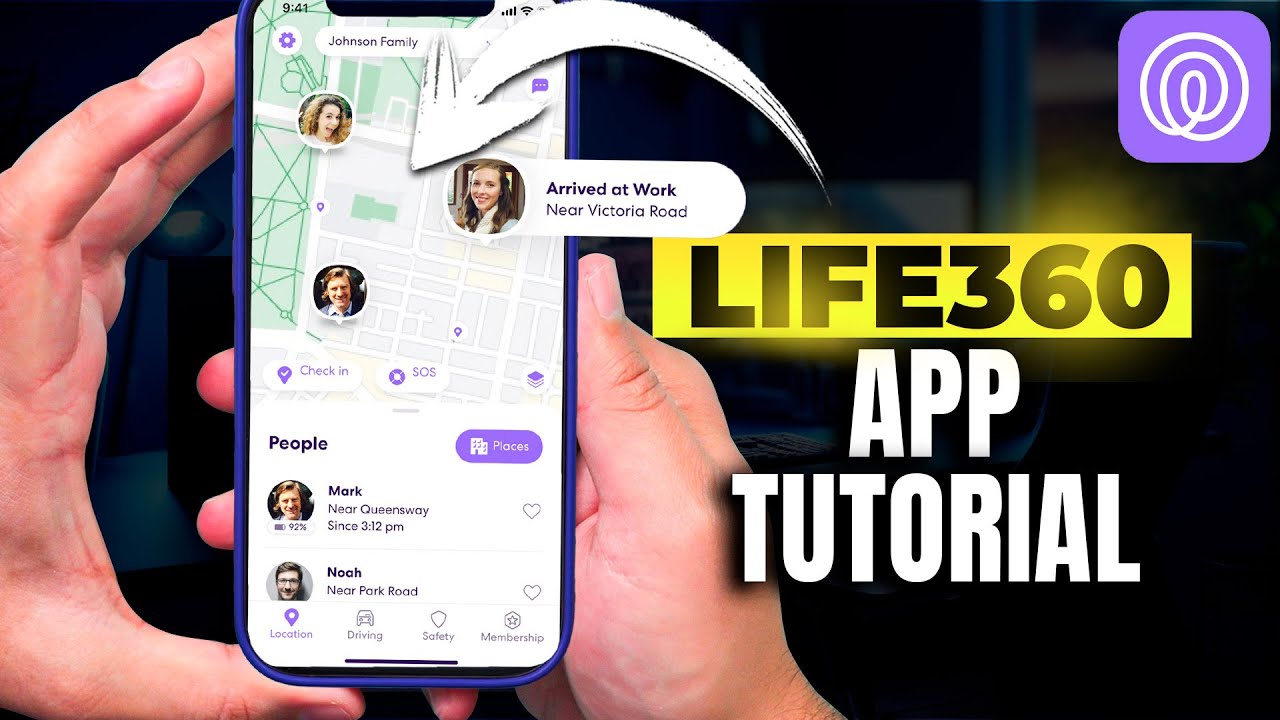
At FindMyiPhone.onl, we believe there isn’t a single “best” app, but rather the right app for your family’s stage of life.
Best for the All-Apple Family on a Budget
Winner: Find My iPhone
If everyone has an iPhone and your main concern is “Where are they right now?” or “Where did I leave my iPad?”, Find My is perfect. It is battery-efficient, private, and deeply integrated into the phone. It’s also reliable; you can check the apple system status find my iphone page to see that it has incredibly high uptime.
Best for Families with Teen Drivers or Mixed Devices
Winner: Life360
If you lose sleep worrying about your teenager’s driving speed or if your spouse uses a Samsung Galaxy, Life360 is essential. The life360 vs find my iphone reviews consistently praise Life360 for its cross-platform capability and the peace of mind provided by crash detection.
Best for Ultimate Peace of Mind and Elderly Monitoring
Winner: Life360 (Gold/Platinum)
For monitoring elderly parents who might wander or need medical help, the SOS features and professional dispatch services in Life360’s paid plans offer a safety net that Apple’s software cannot match.
Frequently Asked Questions
1. Can I use both apps at the same time?
Yes! In fact, we recommend it. Use Find My for device recovery (in case of theft) and Life360 for family coordination and driving safety.
2. Does Life360 work in other countries?
Yes, as long as there is a data connection. However, specific features like roadside assistance are region-locked. For Apple users, knowing does find my iphone work in china or other restrictive regions is important for planning.
3. What was the first version of Find My?
It helps to know the history to understand the reliability. If you wonder when did find my iphone come out, it launched back in 2010. It has had over a decade of refinement, making it incredibly stable.
4. Are there other alternatives?
If neither of these suits your needs, there are other apps like find my iphone such as Google Family Link or Glympse, but Life360 and Find My remain the market leaders.
Conclusion
In the life360 vs find my iphone debate, the choice comes down to features versus privacy. Find My iPhone is a powerful, free, and privacy-focused tool perfect for basic tracking within the Apple ecosystem. Life360 is a comprehensive, cross-platform safety service offering unparalleled features like crash detection and driver reports, making it a worthy investment for families seeking maximum protection.
We recommend evaluating your specific needs: Do you need to track driving habits? Do you have Android users? If yes, go with Life360. If you just want simple location checks without a monthly fee, stick with Find My.
What does your family use, and what has your experience been? Share your tips and questions in the comments below to help other parents make the best choice!
Note: The information in this article is for reference only. For the best advice, please contact us directly for a specific consultation based on your actual needs.

About This Guide
Published by: FindMyiPhone.onl Editorial Team
Last Updated: January 16, 2026
Tested On: iPhone 15 Pro (iOS 17.5.1), iPhone 13 (iOS 17.4)
This tutorial was created through hands-on testing on real devices. All screenshots are from our testing lab. We update guides within 48 hours of iOS releases.
Questions? Contact our team | Meet the team Editorial Team