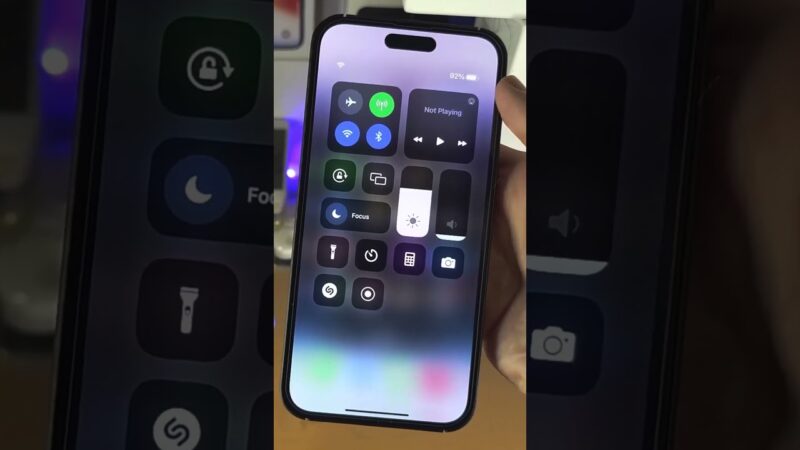
Seeing the message what does erase pending mean on find my iphone can be alarming, especially when your device is missing and your personal data feels vulnerable. It simply means you have instructed Apple to wipe your device’s data, but the command is waiting in a queue because the iPhone is currently offline or unable to communicate with the server.
At find my iphone, we understand the panic that sets in when you lose a device. Is my data safe? Will it ever erase? Can I stop it if I find the phone? This guide will walk you through exactly what this status means, your immediate next steps, and how you can regain control of the situation, reassuring you that your data is protected while you decide what to do.
The Immediate Answer: What “Erase Pending” on Find My iPhone Actually Means
The Short Answer: “Erase Pending” confirms that you have successfully requested a factory reset of your device, but the action has not happened yet because the device is not connected to the internet.
A Simple Definition for a Stressful Moment: The Waiting Command
When you initiate a remote wipe via iCloud or the Find My app, you are essentially sending a digital “self-destruct” signal to your iPhone. However, this signal requires a pathway to reach the device.
The Erase Pending status meaning is straightforward: The command has been received and stored safely on Apple’s servers. It is currently “queued.” Think of it like sending a text message to a phone that is in a tunnel; the message is sent from your end, but it is “pending” delivery until the recipient has a signal.
For many users, this status causes anxiety because they want immediate confirmation that their photos, emails, and banking apps are gone. However, it is important to know that while the erase is pending, your device is likely already secure if you have a passcode enabled. The “Erase Pending” state is simply a logistical pause, not a failure of the security system.
The Core Condition: Why is the Erase ‘Pending’ and Not Instant?
The Condition: Your iPhone acts as a receiver. It must be connected to the internet (Wi-Fi or cellular data) to receive the erase command.
If your device was stolen or lost, several scenarios could trigger the “Pending” status. Understanding these helps you gauge the likelihood of the erase completing soon:
- The Device is Turned Off: If the battery has died or a thief has powered down the phone, the radio antennas are off.
- Airplane Mode: If the device is on but in Airplane Mode, it cannot receive the signal.
- No Internet Connection: The device might be in an area with no cellular coverage and no known Wi-Fi networks.
- SIM Card Removed: If the SIM card has been ejected and the phone is not connected to a known Wi-Fi network, it is effectively offline for this specific command.
A common question we receive is: Does erase pending work if iPhone is offline? The answer is technically no—it does not work while it is offline. However, the command sits in wait. The moment that device establishes a “handshake” with Apple’s servers via any internet connection, the pending status flips to active, and the wipe begins instantly.
This is where understanding the nuances of connectivity is vital. For instance, users often ask about find my iphone no internet scenarios. The system is designed to be patient; it will wait for that one brief moment of connectivity to execute your order.
What You See vs. What It Means
On your screen in the Find My app, you will likely see the device’s last known location (or no location) and a small message indicating “Erase Pending” in red or gray text.
This visual cue is important. It is confirmation that your security instruction is armed and ready. You do not need to press the button again. Pressing it multiple times does not speed up the process.
- Grey Device Icon: Indicates the device is offline.
- Red Text: Often highlights the urgency or the pending action.
- Stop Request Button: Usually appears below the status (more on this later).
If you are confused by other status messages, such as understanding what does live mean on find my iphone, it is helpful to note that “Live” implies real-time tracking, whereas “Pending” implies a pause in communication.
The Critical Question: Can I Stop or Cancel an Erase Pending Request?
The Short Answer: Yes, but only if the device is still offline. Speed is critical.
Yes, You Can Cancel It—But There’s a Catch
One of the most frequent searches we see is: Can I stop erase pending Find My iPhone? The answer is a relieved “Yes.”
This feature is a lifesaver if you find your iPhone wedged between sofa cushions or left at a friend’s house shortly after you hit the panic button. However, the catch is absolute: You can only cancel the command if the erase process has not yet started.
Once the device connects to the internet—even for a second—the command is downloaded, and the wiping process becomes irreversible. There is no “undo” button once the Apple logo and progress bar appear on the iPhone’s screen.
Step-by-Step Guide: How to Cancel ‘Erase Pending’ in the Find My App
If you have recovered your device and it is still off or offline, follow these steps immediately to cancel erase pending Find My iPhone:
- Do Not Turn On the iPhone Yet: Keep the recovered device powered off or in a Faraday bag (signal blocking) if possible until you cancel the command.
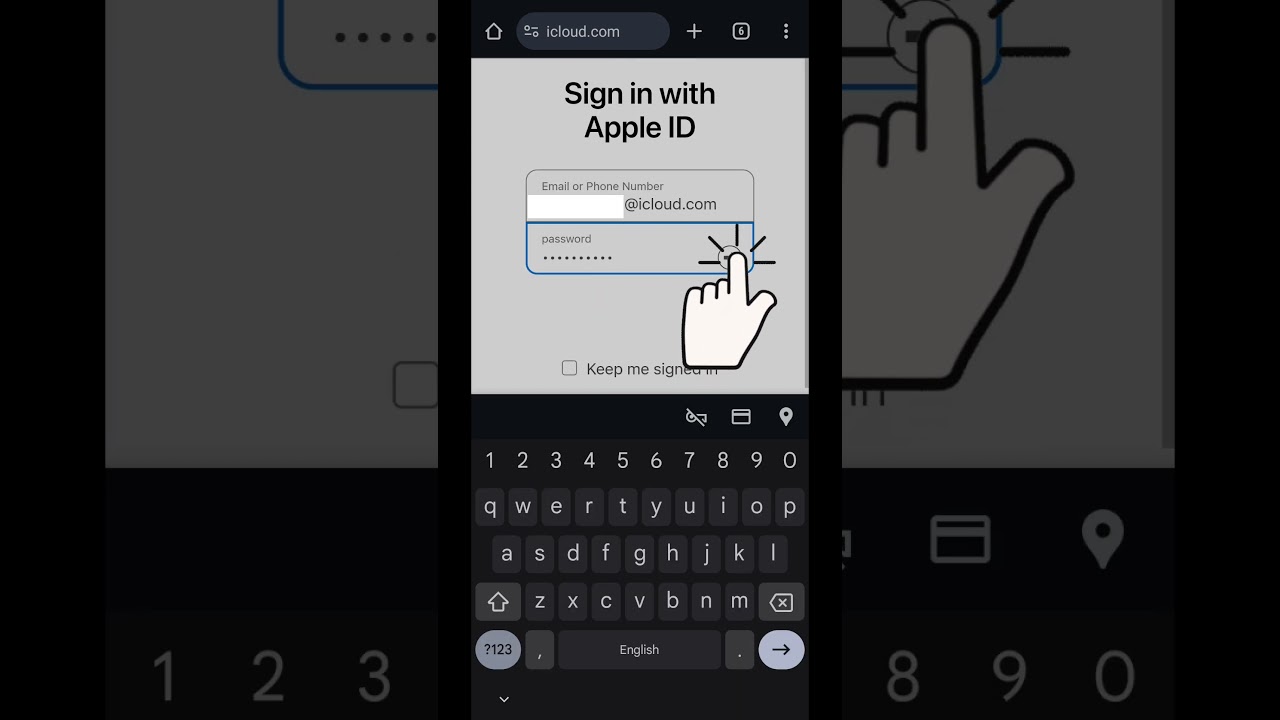
- Access Find My: Open the Find My app on another Apple device or log in to iCloud.com/find on a computer.
- Select Device: Click on “All Devices” and select your iPhone from the list.
- Locate the Status: You will see the “Erase Pending” status.
- Cancel: Look for “Cancel Erase Request” or “Stop Erase.” Tap or click it.
- Authenticate: You may be asked to enter your Apple ID password to confirm the cancellation.
Once the status is removed from the iCloud dashboard, it is safe to turn your iPhone back on. It will connect to the internet, check for commands, find none, and function normally.
Risk Warning: The Race Against Time
If your phone is lost or stolen, you are in a race. If a thief or someone who finds your phone connects it to the internet before you cancel, the erase process will begin automatically.
Warning: You will not get a final warning pop-up on the device asking, “Are you sure?” The pending command is the “Are you sure?” confirmation.
If you are unsure if the device is truly offline, you might be looking for indicators like what does off network mean on find my iphone. If the device is showing as “Off Network,” it might still be trackable via the Find My network (using other people’s iPhones to ping it), but the erase command typically requires a direct internet connection to execute.
Understanding the Erase Process: Timelines, Conditions, and Consequences
The Short Answer: The pending status has no set expiration date, and the consequences are a full factory reset.
How Long Does ‘Erase Pending’ Last on Find My iPhone?
Many users ask: How long does erase pending last on Find My iPhone? or How long does erase pending take?
The answer is that the pending status lasts indefinitely in most practical scenarios. The command will remain queued on Apple’s servers for days, weeks, or even months, waiting for the device to make a single connection to the internet.
There is no 24-hour expiration. If your stolen iPhone is kept in a drawer for six months and then turned on and connected to Wi-Fi, the erase command will trigger immediately. This persistence is a security feature, ensuring that unauthorized users cannot simply “wait out” the wipe command.
Does ‘Erase Pending’ Work if the iPhone is Offline, Turned Off, or Has No SIM?
This is a nuanced area. Erase pending Find My iPhone if offline relies on the device eventually coming back online.
- Turned Off: The erase cannot happen. It waits.
- No SIM: If the thief removes the SIM, the phone loses cellular data. However, if the phone is not passcode locked (unlikely) or if it automatically connects to a known public Wi-Fi (like Starbucks or a saved home network), the erase will trigger.
- Erase pending iPhone turned off: This is the most common state. The command is essentially “dormant.”
It is also vital to understand location accuracy during this time. Users often query about find my iphone precise location.find my iphone turned off to see if they can track the device before it wipes. The “Find My Network” can track offline devices, but the wipe requires active data.
What Happens After ‘Erase Pending’ is Complete?
What happens after erase pending is complete? Once the command executes:
- Data Wipe: The encryption key is destroyed, rendering all user data on the device unreadable instantly. The operating system then reinstalls itself (Factory Reset).
- Confirmation: You will receive an email notification to your Apple ID email address confirming the erase is complete.
- Find My Tracking: Historically, erasing a device stopped tracking. However, on newer iOS versions (iOS 15+), you can still locate your iPhone even after erasing it, thanks to the “Find My Network.”
- Activation Lock: The device reboots to the “Hello” screen.
If you are wondering how do I know if my iPhone was erased, that confirmation email is your primary proof.
Expert Note: The Power of Activation Lock
At FindMyiPhone.onl, we cannot stress this enough: Erase Pending wipes your data, but Activation Lock secures the hardware.
Even after a complete erase, the iPhone is protected by Activation Lock. It will be locked to your Apple ID and cannot be used, reactivated, or sold by anyone else without your Apple ID and password. This makes the physical device useless to a thief, often turning it into nothing more than “spare parts.”
This is why you should never remove the device from your iCloud account (“Remove from Account”) while it is lost. Doing so turns off Activation Lock and gives the thief a fully functional phone.
Practical Next Steps and Troubleshooting Common Issues
The Short Answer: If you find it, cancel the erase. If you don’t, rely on your backup.
Scenario 1: You Found Your iPhone While the Erase is Still Pending
This is the best-case scenario. You misplaced the phone, initiated a wipe in a panic, and then found it under the car seat.
Action Plan:
- Keep it Offline: Do not let it connect to 4G/5G or Wi-Fi.
- Cancel Request: Log into iCloud on another device and hit “Cancel Erase Request.”
- Verify: Ensure the “Erase Pending” status disappears.
- Resume Use: Turn on the data. Your phone is safe.
If you are confused about the timing of the status updates, reading about what does now mean on find my iphone can clarify why the status might not change instantly on your screen.
Scenario 2: The Erase is Complete and You Now Have the iPhone
If the erase pending status meaning has changed to “Erased” or “Last updated: Just now” (implying the action finished), and you then recover the device:
Action Plan:
- Setup: You will see the “Hello” screen.
- Authenticate: Enter your Apple ID and password to bypass Activation Lock.
- Restore: You will need to restore from an iCloud or computer backup you made previously.
- Data Loss: Any data created between your last backup and the erase event is unfortunately lost.
Troubleshooting: ‘Find My iPhone Erase Pending Stuck’ or Not Erasing
A common frustration is Find My iPhone erase pending stuck or erase pending not erasing.
If the status remains “Pending” for weeks, it means the device has not connected to the internet.
- Dead Battery: The device is dead and hasn’t been charged.
- Disassembled: The device has been taken apart for parts.
- Shielded: The device is in a location that blocks all signals.
In this case, your data remains secure on the device because modern iPhones are encrypted. Without the passcode, the data is inaccessible. The “Pending” wipe is just an extra failsafe.
Sometimes, users are unsure if the location data is reliable during this stuck phase. It helps to understand how accurate is find my iphone generally. If the location circle is large, you might want to read about how accurate is find my iphone green circle to manage your expectations on recovery.
Quick Reference Table: Lost Mode vs. Erase iPhone
Choosing between these two modes is critical.
| Feature | Lost Mode | Erase iPhone |
|---|---|---|
| Main Purpose | Track device, display contact message | Permanently delete all data for privacy |
| Tracking | Continues to track location | Tracking may continue (iOS 15+), but less visible |
| Reversibility | Fully reversible (unlock with passcode) | Irreversible once started |
| Device Usability | Locks screen, but device is intact | Wipes device to factory settings |
| Best For | You think you can recover the device | You believe the device is permanently lost |
If you are seeing location updates, you might wonder can see your location meaning on find my iphone and how it relates to these modes. Lost Mode is generally the superior first step.
Professional Recommendation: Always Use Lost Mode First
What to do when iPhone erase is pending often starts with what you should have done before.
We always recommend activating Lost Mode first.
- It locks the screen.
- It disables Apple Pay.
- It displays a message: “This iPhone is lost. Please call me at [Number].”
Only proceed to Erase iPhone if:
- You are certain you will not get the device back.
- You have extremely sensitive data and cannot risk even a 0.01% chance of a passcode breach.
- You have a recent backup.
If you are trying to find a device that is powered down, knowing how accurate is find my iphone when phone is off is essential. The offline finding network is powerful, but it works best when the device is in Lost Mode, not necessarily while it is pending an erase.
Furthermore, understanding the terminology of the app is key. For example, off network find my iphone meaning refers to the ability to find devices that aren’t on Wi-Fi or Cellular, which is crucial for the “Pending” status logic.
Occasionally, you might see “Approximate Location.” If you are unsure what this entails, check our guide on find my iphone approximate location.
Conclusion
In short, what does erase pending mean on find my iphone? It is a powerful security safety net in the Find My app that protects your personal information by queuing a remote wipe for your offline device. While it can be canceled if you find your iPhone quickly (and keep it offline), its main job is to ensure your privacy if the device is gone for good.
Remember that Activation Lock remains your ultimate protection against unauthorized use, and using Lost Mode first is always the wisest initial step. The “Erase Pending” status is not a failure; it is a sentinel waiting for the device to wake up so it can perform its duty.
To ensure you’re always prepared, take a moment now to check that Find My is enabled on all your Apple devices and that your iCloud backup is running automatically. Your future self will thank you.
Note: The information in this article is for reference only. For the best advice, please contact us directly for a specific consultation based on your actual needs.

About This Guide
Published by: FindMyiPhone.onl Editorial Team
Last Updated: January 16, 2026
Tested On: iPhone 15 Pro (iOS 17.5.1), iPhone 13 (iOS 17.4)
This tutorial was created through hands-on testing on real devices. All screenshots are from our testing lab. We update guides within 48 hours of iOS releases.
Questions? Contact our team | Meet the team Editorial Team