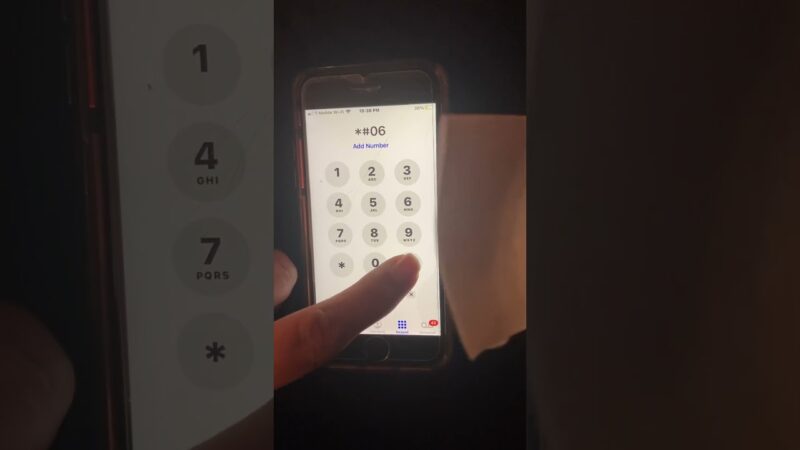
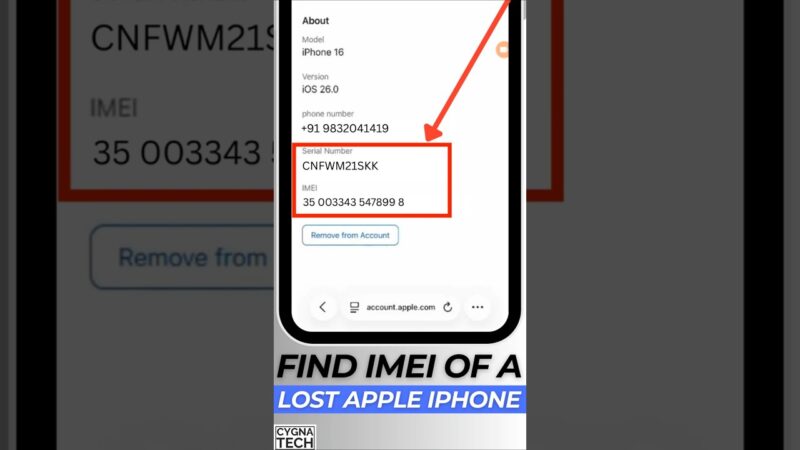
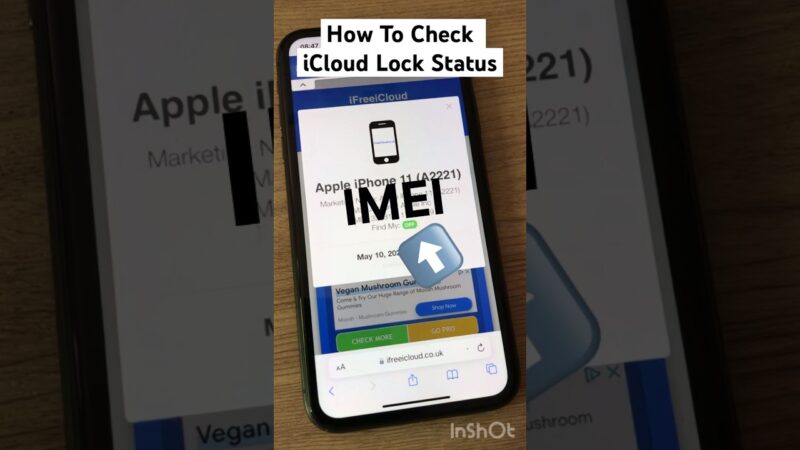
Verifying a device’s security status is crucial whether you are buying a used iPhone or have unfortunately lost your own. You need to check if Find My iPhone is on using IMEI, but Apple’s official public tool for this specific function is no longer available. This creates confusion for many users who want to ensure a device is not “iCloud locked” or stolen. At findmyiphone, we understand the anxiety of purchasing a second-hand device or tracking a missing one. This guide provides a direct answer on what can and cannot be verified today, explaining exactly what the results mean so you can proceed with confidence and avoid potential scams or locked devices.
The Definitive Answer on Checking Find My iPhone Status via IMEI
Quick Answer (TL;DR)
Can you check if Find My iPhone is on with IMEI? Yes, you can still verify the status, but you cannot do it directly through an official Apple website anymore. You must use reputable third-party checkers or check the device settings physically if accessible.
What This Check Actually Verifies: FMI and Activation Lock
When you perform an IMEI check for this purpose, you are querying Apple’s database to see the status of the “Find My” feature. This is inextricably linked to the Activation Lock.
If the result says “Find My iPhone: ON,” it means the Activation Lock is active. This security feature prevents anyone from reactivating the device without the original owner’s Apple ID and password. For buyers, this is the single most important check to perform. If you are looking to understand the mechanics of this security layer, you should read more about the find my iphone activation lock to fully grasp how it protects data.
Many users confuse this with checking the location of the phone. An IMEI check for FMI status does not provide GPS coordinates. It only tells you the lock status (ON or OFF) and the iCloud status (Clean or Lost Mode).
The Limitation: Why Apple’s Public Checker Was Discontinued
Previously, Apple offered a tool at icloud.com/activationlock where users could enter an IMEI or serial number to check status. However, this was discontinued because hackers were using it to validate serial numbers for cloning purposes.
Today, to check if find my iphone is on using imei, you must rely on the device’s own settings (if you have it in hand) or third-party IMEI verification services that have access to GSX (Global Service Exchange) data or similar databases.
What You Can Check vs. What You Cannot Check With an IMEI
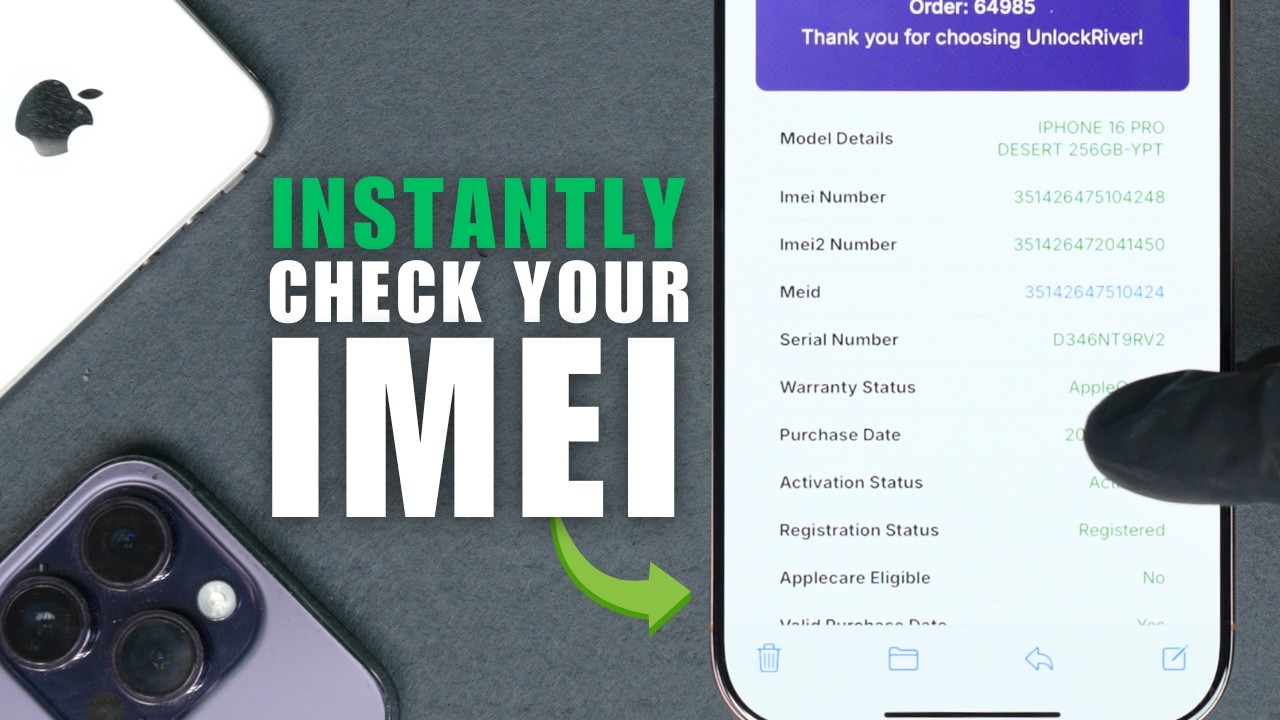
Understanding the capabilities of an IMEI check is vital to managing your expectations. At FindMyiPhone.onl, we often see users expecting miracle tracking results from a simple number sequence. Here is the reality of what an IMEI number lookup can provide.
Verifiable Information
When using a comprehensive Find My iPhone checker free online or a paid premium service, the following data points are generally retrievable:
- Find My iPhone (FMI) Status: Returns a simple “ON” or “OFF”.
- iCloud Status: Indicates if the device is “Clean” (normal use) or in “Lost Mode” (reported lost/stolen by the owner).
- Blacklist Status: Checks if the IMEI has been reported stolen to carriers (GSMA blacklist), which would prevent the phone from connecting to cellular networks.
- Warranty Status: Tells you if the device still has AppleCare coverage.
- Sim-Lock Status: Tells you if the phone is locked to a specific carrier.
If you are buying a phone, you want the result to show the find my iphone on icloud status clean. If it shows “Lost Mode,” do not purchase the device under any circumstances.
Information That Cannot Be Retrieved
There are significant misconceptions about what an IMEI can reveal. To prevent you from falling victim to scams promising impossible results, be aware of these limitations:
- Real-Time Location: You cannot track the live GPS movement of an iPhone using only its IMEI.
- Owner’s Personal Data: Apple’s privacy standards are rigorous. An IMEI check will never reveal the owner’s name, email, or phone number.
- Passcode Bypass: Knowing the status does not help you bypass the screen passcode.
If your goal is tracking, you might be asking how to find my iphone by imei. While the IMEI is essential for police reports and carrier blocking, it is not a direct tracking tool for the general public.
Common Reasons for Performing an FMI Status Check
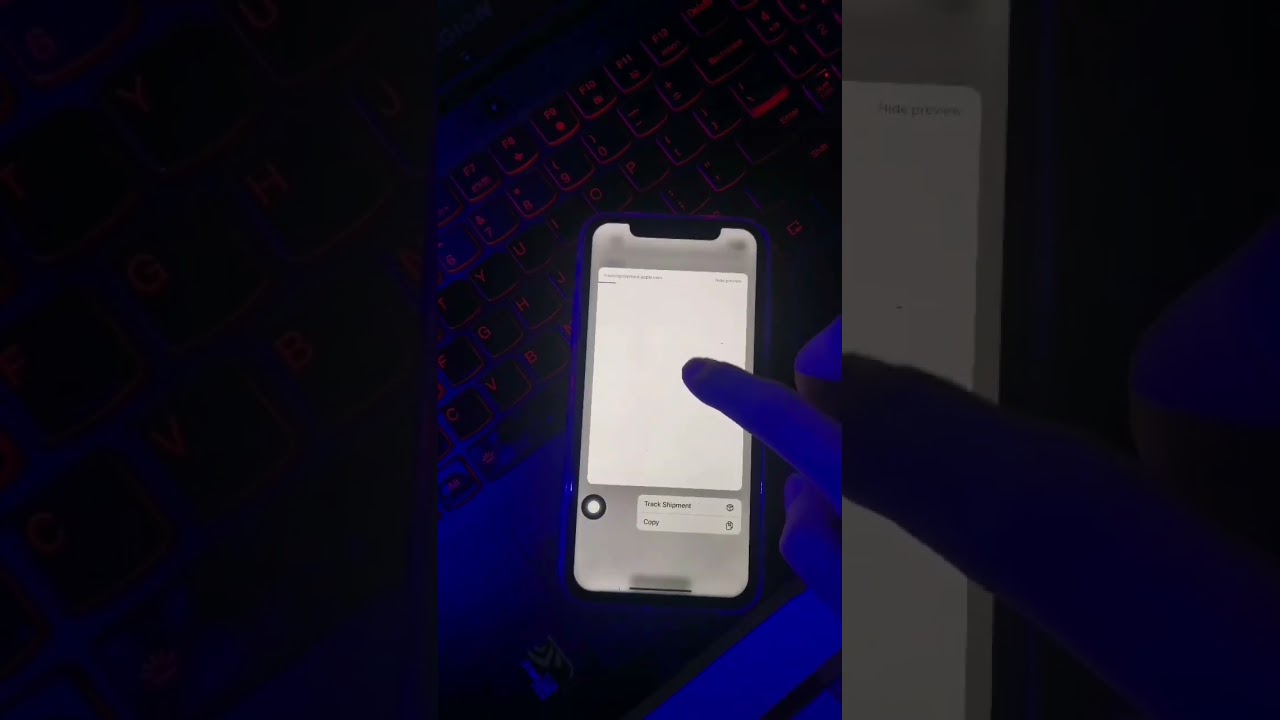
Our team at FindMyiPhone.onl identifies three primary scenarios where users urgently need check iCloud status and Find My iPhone on/off by IMEI free or via paid services.
Scenario 1: Buying a Second-Hand iPhone
The second-hand market is rife with “Cloud-locked” devices that are essentially paperweights. Sellers may claim they “forgot” to turn it off or that the battery is dead.
How to tell if Find My iPhone is on for a used iPhone:
- Ask for the IMEI before meeting.
- Run an IMEI checker FMI status free online.
- If the status is ON, the device is Activation Locked.
- Unless the seller can unlock it in front of you, walk away.
For a broader guide on physical inspection, you can also learn how to check if find my iphone is on by looking at the device settings menu directly.
Scenario 2: Verifying Your Own Lost or Stolen Device
If you have lost your device, you might be panicked. You might want to confirm if your “Find My” command actually worked. By checking the status externally, you can verify if the thief has managed to turn off FMI (which would require your password) or if the device is still secured.
To perform this check, you first need to locate your unique identifier. If you don’t have the box, you might need to find the find my iphone imei/serial number via your original purchase receipt or your carrier’s website.
Scenario 3: Selling Your Used iPhone
Responsible sellers verify their own devices to prove to buyers that the phone is “iCloud Unlocked.” Providing a screenshot of a “Find My iPhone: OFF” status builds trust and speeds up the sale.
Many users assume their device is open, but is find my iphone on by default? Yes, when you sign in with an iCloud account, this feature is enabled automatically. Always verify it is off before handing over the device.
Understanding the Risks and What This Check Is NOT
At FindMyiPhone.onl, we prioritize your digital safety. There is a lot of misinformation regarding how to check FMI status and what it allows you to do. Let’s clarify the boundaries.
It is NOT a Location Tracking Method
We cannot stress this enough: How to check Find My iPhone Activation Lock status by IMEI is a security query, not a geographic one. The IMEI is a hardware identifier, not a GPS beacon.
To find a device’s location, the device must transmit data via the internet. In forensic investigations, authorities might look at connection logs, which leads some users to ask how to find my iphone ip address. While an IP address can give a rough location, an IMEI check service will not provide this data to consumers.
It is NOT an iCloud Unlocking or Bypass Service
Searching for a Find My iPhone activation lock checker often leads users to shady websites promising to “unlock” or “bypass” the lock for a fee.
- Fact: Checking the status is legal and safe.
- Fact: Forcing a bypass on a device you do not own is illegal and often impossible on modern iOS versions.
Some users confuse the IMEI with other identifiers when looking for bypass solutions. For example, developers use the UDID for app testing, leading to searches on how to find my iphone udid. However, neither the IMEI nor the UDID can be used to magically remove an iCloud account linked to the device.
It is NOT a Guarantee of Device Ownership or Blacklist Status
A device can have “Find My iPhone: OFF” but still be blacklisted by a carrier for non-payment of bills.
- FMI Status: Controlled by Apple (iCloud).
- Blacklist Status: Controlled by Mobile Carriers (GSMA).
You must check both. A phone with FMI OFF but Blacklisted IMEI will not make calls. Furthermore, network administrators manage devices using MAC addresses. While you might wonder how to find my iphone mac address for network filtering, it is irrelevant to the Activation Lock status.
It is NOT Proof of Hacking or a Data Breach
If you check your status and see “FMI: OFF” when you thought it was on, it doesn’t necessarily mean you were hacked. It could mean the device was restored, or you removed it from your account by mistake. Do not panic; simply log back in and re-enable the feature.
Your Clear Next Steps Based on the Verification Result
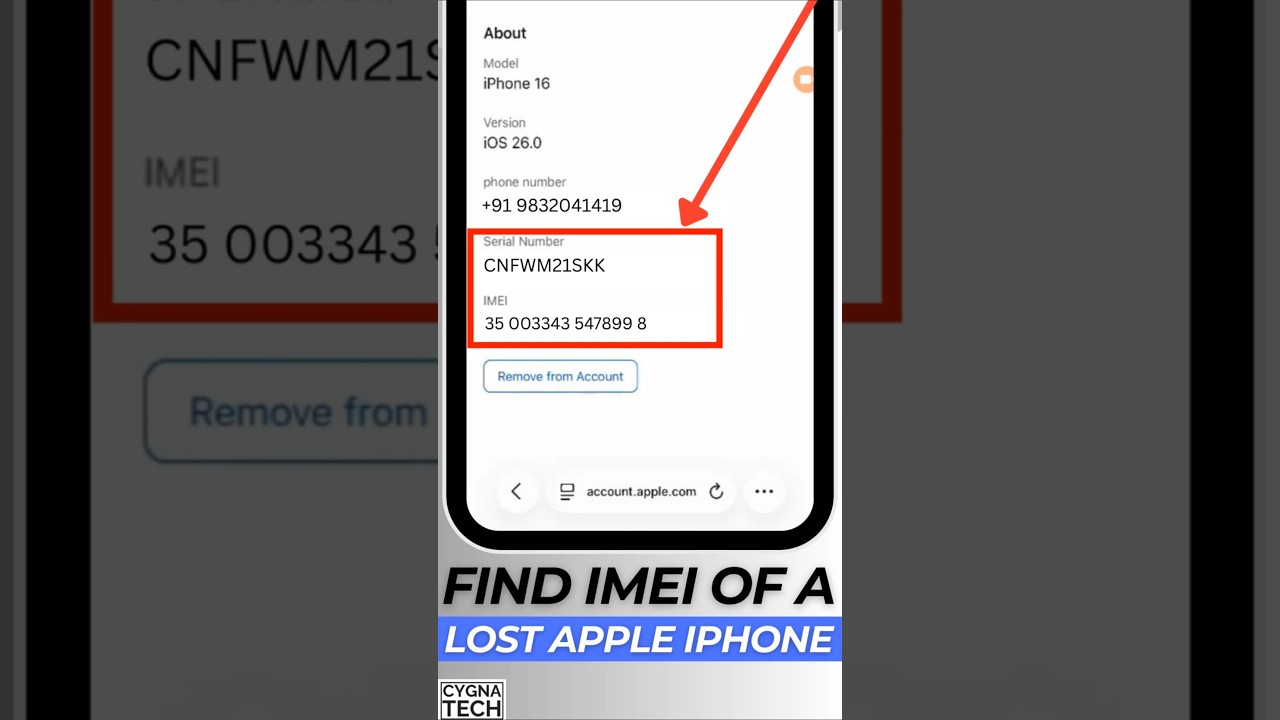
Once you have performed the check using a Find My iPhone checker free online or a premium service, here is how to interpret the results and act.
If Find My iPhone (FMI) is ON
For Buyers:
- Status: The device is Activation Locked.
- Action: Ask the seller: “Can you remove your iCloud account?”
- Red Flag: If they say “I forgot the password” or “It will unlock later,” do not buy it. You are likely looking at a stolen iPhone or a paperweight.
- Search Intent: You might frantically search how to check if an iPhone is iCloud locked using IMEI to confirm your suspicions. If the result is ON, your suspicion is correct.
For Owners (Lost Device):
- Status: Your security is active.
- Action: Log into iCloud.com immediately and enable “Lost Mode” to lock the screen with a message.
If Find My iPhone (FMI) is OFF
For Buyers:
- Status: The device is not linked to an Apple ID.
- Action: This is a good sign. However, ensure you also check the Blacklist status to ensure it isn’t barred by carriers.
For Owners (Lost Device):
- Status: Your device is vulnerable. Anyone can wipe it and use it.
- Action: You cannot remotely track or wipe it if FMI is OFF. Change your email passwords and report the loss to the police.
A Warning About Third-Party “Unlock” Services
In your quest to check Find My iPhone status without Apple ID, you will encounter ads for “Remote iCloud Unlocking.”
At FindMyiPhone.onl, we advise extreme caution. 99% of services claiming to remove Activation Lock via IMEI for a small fee are scams. They take your money and deliver nothing. The only official way to remove the lock is the original owner entering their credentials or Apple Support removing it with valid proof of purchase.
Conclusion
In summary, utilizing an IMEI to check if Find My iPhone is on using IMEI is an essential verification step, primarily for the second-hand device market. While you can no longer use an official Apple portal for a simple “On/Off” result, reputable third-party services can provide this critical data.
Remember, this check confirms the Activation Lock status—it does not provide real-time location and is not a tool for bypassing security. Whether you are buying a used device or verifying the security of your own Apple device, understanding the distinction between FMI status, iCloud status, and Blacklist status is key to making informed, secure decisions and avoiding costly mistakes.
Before buying or selling a used Apple device, always use a reliable IMEI checker to verify its FMI Activation Lock status. Do not complete the transaction if the status is ON and the seller cannot disable it.
Note: The information in this article is for reference only. For the best advice, please contact us directly for a specific consultation based on your actual needs.

About This Guide
Published by: FindMyiPhone.onl Editorial Team
Last Updated: January 16, 2026
Tested On: iPhone 15 Pro (iOS 17.5.1), iPhone 13 (iOS 17.4)
This tutorial was created through hands-on testing on real devices. All screenshots are from our testing lab. We update guides within 48 hours of iOS releases.
Questions? Contact our team | Meet the team Editorial Team